
How to choose a 2-in-1 convertible laptop
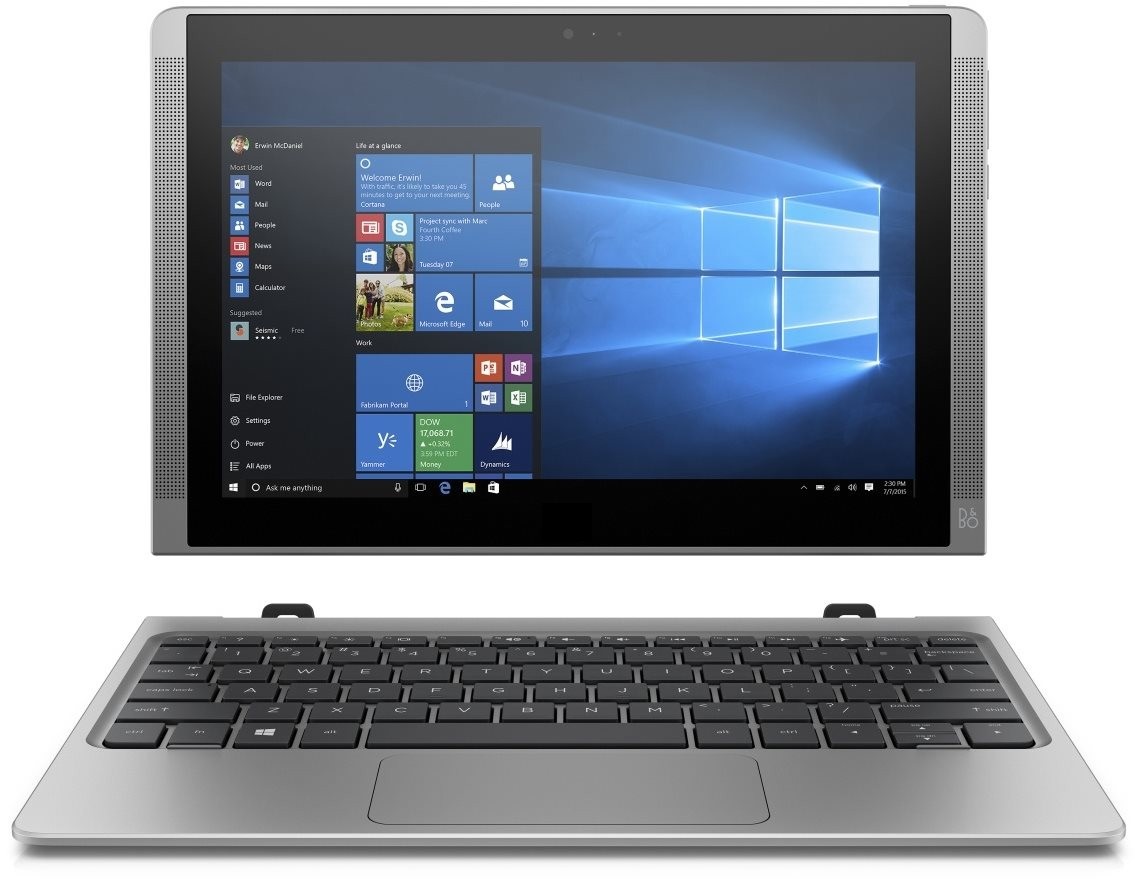
Convertible notebooks are 2-in-1 devices with flippable or detachable displays. This means in addition to functioning as a regular laptop, they can also be converted into a touch-screen tablet, giving you the best of both worlds.

Key factors when choosing a 2-in-1 convertible laptop
Construction
Modes of use
Notebook – perfect for work, word processing, etc.
Stand – suitable for video calls, watching films, etc.
Tent – similar to Stand mode.
Tablet – for comfortable Internet browing wherever you are.
Weight
Weight can be an important factor if you travel frequently with your laptop. Generally, laptops up to 2 kg are suitable for travel and business trips.
Materials
Cheap and mid-range laptops are generally made of plastic, with some more expensive models featuring solid metal construction.
Processor
The processor (or CPU - Central Processing Unit) is the brain of a laptop, where most calculations take place. For everyday use, an Intel Core i3 or i5 processor is sufficient.
Architecture
Intel
Atom, Celeron and Pentium
Series with less power, suitable for performing simple office work, but not for demanding tasks.
Core M
The new series of energy-saving chips used in some ultrabooks. They are more powerful than Celeron and Pentium processors and provide passive cooling, making devices with this type of processor absolutely silent.
Core i3, Core i5, Core i7
These series are designed for performance at a higher level. Core i3 processors are sufficient for everyday activity, whereas Core i5 and Core i7 processors are recommended for more demanding tasks.
AMD
This processor family is generally considered the rival to Intel Core. To work in standard Office programs, the A4 and A6 series are sufficient; for more demanding activities, go for the A8 and A10.
The E series is used in basic laptops.
Processor number
Processors in the i3, i5 and i7 series come with a processor number consisting of four digits and a letter. The first digit indicates the processor generation. With regard to the future, it pays to choose the most recent generation.
1st generation - Nehalem
2nd generation - Sandy Bridge
3rd generation - Ivy Bridge
4th generation - Haswell
5th Generation - Broadwell
6th generation - Skylake
The end letter provides information about the processor's performance::
H - High performance graphics
HK - High performance graphics, unlocked
HQ - High performance graphics, quad core
MX - Mobile Extreme Edition
MQ - Quad-core mobile
M - Mobile
U - Ultra-low power
Y - Extremely low power
Frequency
Frequency is given in GHz and indicates the number of clock cycles the processor can perform per second. A higher frequency means a more efficient processor. Convertible devices should have a frequency of around 1.8 GHz, or 2.8 Ghz with Intel Turbo Boost 2.0.
Cores
The most important part of the processor, which is responsible for all computing operations. The more cores a processor has, the more tasks it can process at one time.
Display
Screen size
For frequent travel – smaller devices with screens around 13" or less.
For occasional travel – devices up to 15.9" with a weight of around 2 kg.
For work in one place – 15" devices and larger.
Resolution
Resolution indicates the number of pixels displayed in an image. The more pixels, the higher the resolution, and thus the sharper the image.
The most widely used resolutions:
Resolution | Number of pixels |
|---|---|
720p | 1280 x 720 pixels |
| HD Ready | 1366 x 768 pixels |
| HD + | 1600 x 900 pixels |
| Full HD | 1920 x 1080 pixels |
| WQHD | 2560 x 1440 pixels |
WQXGA | 2560 x 1600 pixels |
3K | 2880 x 1620 pixels |
WQXGA + | 3200 x 1800 pixels |
| 4K | 3840 × 2160 pixels |
Display technology
Laptops, mobile phones and televisions currently use LCD (liquid crystal display) technology, which can be further devided into TFT (Thin-Film Transistor) and STN (Super-Twisted Nematic) displays. Today's laptops are equipped exclusively with TFT displays, which are divided into the following types:
TN (Twisted Nematic)
An older LCD technology that is still widely used. Compared with IPS, TN displays are cheaper to produce, have higher brightness, faster response times, and slightly lower demands on battery life. The downside, however, is worse viewing angles.
IPS (In-Plane Switching)
A cutting-edge technology that offers true colour reproduction and wide viewing angles of 178°. IPS displays are more expensive to produce, and so are often found on laptops in higher price ranges. Compared with TN displays, they have lower contrast and slower response times.
VA (Vertical Alignment)
VA displays combine the advantages of TN and IPS technology. They feature high contrast, wide viewing angles (although not as good as IPS), and true colour reproduction.
Surface finish
Glossy
Glossy displays offer more striking colours compared with matte displays, but they are less suitable for travel and work in direct sunlight, where they are almost unusable. In an appropriately lit room, however, they provide rich colours and vivid images.
Matt and anti-reflective
If you travel frequently or sometimes work outside, choose a laptop with a matte (or anti-glare) display. While they can't compete with glossy displays for colour intensity, they come into their own when used in bright sunlight.
Storage (HDD, SSD)
Type
The type of storage has a big impact on the overall speed of a notebook. There are two types of storage: HDD (Hard Disk Drive) and SSD (Solid State Drive). For work with an emphasis on speed, we recommend SSDs, as they offer fast data access, silent operation, and greater durability. Systems with an SSD respond much faster, and all programs and games run faster.
HDD
HDDs store data on rotating plates, which are read by the read head. Compared with SSDs, they offer higher capacity for the same price.
SSD
With no moving parts, SSDs are many times faster than HDDs. They also offer greater shock resistance. As a result, they are perfect for portable laptops.
HDD + SSD
The unit contains two storage types in one, giving you the best of both worlds – the large capacity of a HDD and the speed of an SSD. This makes them a suitable solution for gaming laptops.
SSHD
A combination of a standard HDD with SSD memory. Smaller NAND flash memory (SSD) is used for the most frequently used programs, such as the operating system, and memory for data is provided by the HDD.
Capacity
The greater the capacity, the more programs, photos, videos and other data you can store. Typical HDD capacities are 500GB, 1000GB (1TB), or 2000GB. For SSDs, regular users need a minimum capacity of 128GB; but if you want run a lot of games, movies and applications, we recommend 258GB or more.
Keyboard, pointing device
Keyboard
Keyboards differ in terms of the layout and shape of the keys. If you frequently work with numbers, we certainly recommend a model with a numeric keyboard. For working at night or in darkened rooms, choose a laptop with a backlit keyboard.
So-called chiclet keyboards are adapted for comfortable typing during long texts. They feature an improved key shape that helps prevent typos.
Touchpad
Intelligent touchpads, which are found on more expensive laptops, support gestures similar to a touch device, allowing for easy scrolling or zooming.
TrackPoint
A pointing device consisting of a small rubber joystick. It is placed between the G, H and B keys and is an alternative to the touchpad.
Connectivity
USB
Used to connect a mouse, external keyboard, flash drives, external drives, optical drives, etc. For convenience, go for a laptop with at least two USB 3.0 connectors.
HDMI
The most widely used digital connector for transferring video and audio simultaneously in high definition. Used, for example, to connect a laptop to a television, external monitor or projector.
DisplayPort
Digital connector used to transfer video and audio in high definition. Common on professional and office laptops.
VGA
Analogue connector used for transferring images.
Ethernet (LAN)
For connecting your notebook to a wired network (local as well as Internet). We recommend a fast gigabit LAN (1000 Mbit/s).
WiFi
Wireless technology that comes as standard with every laptop.
Bluetooth
Used to connect wirelessly to other devices and equipment, e.g. headphones or speakers.
3.5 mm audio jack (jack)
For connecting headphones, speakers or microphones.
Memory Card Reader
Allows you to easily transfer a large amount of photos from your camera or mobile device.
Dock connector
A connector on the bottom side of a laptop that connects to a docking station. This allows you to connect your laptop to a wide range of devices, such as a keyboard, printer, audio system, internet modem, an additional monitor, and others.
Battery
Comvertible laptops are highly portable devices, meaning a long battery life is particularly important. We recommend a battery life of at least 6-9 hours, but ideally 9 hours or more.
Laptop batteries consist of several cells, with more cells meaning greater capacity and battery life. A 3-cell battery generally lasts two hours, a 6-cell battery around four hours, and 9-cell battery for six hours or more.
Battery life also depends on the type of use. Watching videos or working in demanding programs depletes the battery quicker than more basic tasks. For longer trips, one solution is to take a spare battery, which can replace your laptop battery in case of emergency. Battery capacity decreases over time, so it is advisable to replace them every 2-3 years.
Operating system
What should I watch out for?
Low resolution display
A resolution of 1366 x 768 pixels is acceptable on an 11" laptop, but is insufficient on a 15.6" laptop.
Glossy display
While glossy displays offer high-quality colour reproduction, they can be almost unusable in direct sunlight.
Placement of connectors
It is good to have at least one laptop USB connector on the right-hand side, especially if you want to connect a wired mouse.
Poorly placed ventilation
It is important that the fan does not blow directly towards your hands, as this can lead to health problems in the long term.
Notebook Accessories
There is a wide range of useful accessories available for office laptops, from software and internet security, to useful equipment such as mice, headphones, speakers and external storage.
Frequently asked questions when choosing a laptop


HDD or SSD?
Both types have their advantages – HDD offers greater capacity for the same price, but SSDs are much faster.
If you want to store large amounts of music and films, then go for a HDD. If your priority is speed and fast response times, go for an SSD.

Do I need an integrated optical drive?
These days an optical drive is not necessary, as CDs are no longer a popular storage medium for files and programs. If you have a collection of films on DVD, you can purchase an external DVD drive, which you can connect to your laptop via USB.

Classic or convertible?
While the classic laptop design is suitable for most people's needs, convertible devices, which feature a flippable or detachable display, are designed for those who require more flexibility.
Convertible device modes:
Laptop - perfect for work, word processing, etc.
Stand - suitable for video calls, watching films
Tent - similar to Stand mode. Suitable for video calls, watching films, etc.
Tablet - for comfortable Internet browing, wherever you are
Glossary - Laptops
Convertible laptop
Convertible notebooks are devices with flippable or detachable displays. They are more flexible and lighter than standard laptops and offer several different modes of use.
Laptop - perfect for work, word processing, etc.
Stand - suitable for video calls, watching films
Tent - similar to Stand mode. Suitable for video calls, watching films, etc.
Tablet - for comfortable Internet browing wherever you are
HDMI
HDMI stands for High-Definition Multimedia Interface. It offers digital output with integrated sound (or network transmission) and is often used to connect laptops with other devices, such as TVs. It enables multi-channel audio and can handle up to 4K resolution (HDMI 2.0).
Screen size
Denotes the distance between the lower left and upper right corner of the screen, quoted in inches (1" = 2.54 cm). Models with larger screens provide more working space, whereas notebooks with smaller screens are more suitable for work on the go.
Glossary
Matte or glossy display?
Glossy displays offer striking colours, but can be almost unusable in direct sunlight. As a result, they are best avoided if you plan to travel with your laptop or use it outdoors.
Matt and anti-reflective (also known as Antiglare) displays offer less vibrant colours but allow you to work even in direct sunlight.