
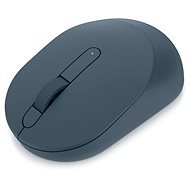
This page contains frequently asked questions about Dell Mobile Wireless Mouse MS3320W Midnight Green. If you are considering buying this product, you may want to read the discussion or ask more questions about Dell Mobile Wireless Mouse MS3320W Midnight Green. They will be answered by our specialists.
Dobrý den.
Ano, uvedená myš Dell MS3320W pracuje prakticky se všemi současnými systémy, tedy i MAC OS:
OS SUPPORT:
2.4Ghz
• Windows 7, 8.1, 10 and 11; macOS®; Linux (Red Hat Enterprise 8.0/Ubuntu 18.4); Chrome; and Android OS
Bluetooth
• Windows 8.1, 10 and 11; macOS®; Linux (Red Hat Enterprise 8.0/Ubuntu 18.4); Chrome; and Android OS
Datový list příkládám k dispozici přímo zde: External Linký zbytek dne.
Customer,21. 11. 2024
ale nejde mi to na windovse mi ju pripoji hneď na macu ju nájde a keď kliknem pripojiť tak načitava načitava a nič
Jan Svěrák, Dell Expert,22. 11. 2024
Dobrý den.
Zde dávám k dispozici obecná doporučení pro postupy párování myši MS3320W:
Průvodce používáním přenosné bezdrátové myši Dell MS3320W a odstraňováním problémů s ní spojených External Link by se stále nevyřešilo, lze kontaktovat přímo Dell tech.podporu: Standardní podpora, 8:00 – 18:00 pondělí až pátek
Volejte: +420 225 772 727
Hezký zbytek dne.
Customer,11. 6. 2023
V popisu dpi je chyba 1600 dpi je výchozí nechá se přepnout až na 4000dpi. External Link
Petr Macík, Dell Expert,12. 6. 2023
Dobrý den, ano, defaultní hodnota je 1600 dpi. V aplikaci Dell Peripheral manager lze nastavit na hodnoty - 1000, 1600, 2400, 4000 dpi.
Alza.cz a. s., Company identification number 27082440, use cookies and other data to ensure the proper functioning of the website and, with your consent, also, among other things, to personalize advertising and the content of our websites. By clicking on the “I understand“ button, you agree to the use of cookies and the transfer of data regarding the behavior on the website for displaying targeted advertising on social networks and advertising networks on other websites.