
This page contains frequently asked questions about DELL Vostro 3591. If you are considering buying this product, you may want to read the discussion or ask more questions about DELL Vostro 3591. They will be answered by our specialists.
Dobrý den,
DELL Vostro 3591 s označením C9FP7 má uvedeno, že má čtečku otisku prstů. Je to pravda? Jste jediný obchod, který toto uvádí, všichni ostatní tvrdí, že ji nemá.
Alza Expert,18. 11. 2020
Dobrý den,
Omlouváme se za chybu, čtečku otisků prstů nemá.
V případě jakýchkoliv dalších přání či dotazů nás neváhejte kontaktovat.
Přeji Vám pěkný zbytek dne.
Jan Svěrák, Dell expert,18. 11. 2020
Dobrý den.
Děkujeme za upozornění.
Uvedená konfigurace Dell Vostro 3591, PN C9FP7 skutečně nemá čtečku otisků prstů.
Předávám k opravě na produktovou redakci.
Hezký z zbytek dne.
Robert Homolka,23. 4. 2020
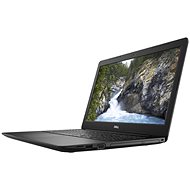
Dobrý den, na fotkách je optická mechanika, v popisku ne. Co je správně? Děkuji.
Jan Svěrák, Dell expert,24. 4. 2020
Dobrý den.
Fotografie mají pouze ilustrativní charakter. Jednotlivé konfigurace v řadě Dell Vostro 3591 se mohou lišit.
Tato konkrétní konfigurace Dell Vostro 3591 nemá DVD mechaniku.
Proto to není uvedeno v textové parametrické specifikaci.
Hezký zbytek dne.
Alza.cz a. s., Company identification number 27082440, uses cookies to ensure the functionality of the website and with your consent also to personalisage the content of our website. By clicking on the “I understand“ button, you agree to the use of cookies and the transfer of data regarding the behavior on the website for displaying targeted advertising on social networks and advertising networks on other websites.