
This page contains frequently asked questions about Secutek WiFi thermal camera with touch screen HT-A2+. If you are considering buying this product, you may want to read the discussion or ask more questions about Secutek WiFi thermal camera with touch screen HT-A2+. They will be answered by our specialists.
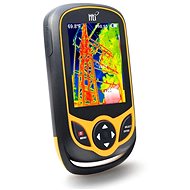
Secutek WiFi thermal camera with touch screen HT-A2+
Dobrý den,
chtěl bych se zeptat zda přes wi-fi lze v reálném čase přenášet obraz na počítač. Pokud ano, tak jakým způsobem? Děkuji moc.
Alza Expert,17. 6. 2024
Dobrý den,
Dobrý den, ano, termokamera Secutek WiFi HT-A2+ umožňuje přenos obrazu v reálném čase na počítač přes Wi-Fi. Postup je následující:
1. V menu kamery vyberte položku WiFi a aktivujte ji.
2. Na počítači nebo mobilním zařízení se připojte k síti WiFi Thermal.
3. Otevřete internetový prohlížeč a zadejte IP adresu 162.168.230.1.
4. Nyní byste měli být připojeni k Wi-Fi zařízení a měli byste vidět obraz z kamery.
Pro stažení pořízených snímků a videozáznamů můžete jednoduše připojit zařízení k PC pomocí dodávaného USB kabelu
V případě dalších přání či dotazů nás neváhejte kontaktovat.
Se srdečnými pozdravy
Customer,17. 9. 2024
Dobrý den,
na jakou vzdálenost takový přenos funguje - v normálním nezarušeném prostředí mimo město? Děkuji
Alza.cz a. s., Company identification number 27082440, use cookies and other data to ensure the proper functioning of the website and, with your consent, also, among other things, to personalize advertising and the content of our websites. By clicking on the “I understand“ button, you agree to the use of cookies and the transfer of data regarding the behavior on the website for displaying targeted advertising on social networks and advertising networks on other websites.