
Reviews 27" Dell U2723QE UltraSharp
Interested in reviews of 27" Dell U2723QE UltraSharp? It got 4.7 out of 5 stars from our customers. Find specific customer reviews of 27" Dell U2723QE UltraSharp below. We will appreciate if you also share your experiences with 27" Dell U2723QE UltraSharp after purchasing.
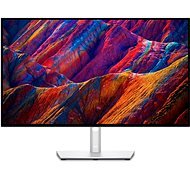
27" Dell U2723QE UltraSharp
Discontinued

Marek, Praha
Rated 02/02/2025, variant 27" Dell U2723QE UltraSharp
Verified purchase
great monitor, beautiful colors and great for reading text, just a pity that they don't have it in 32" version
beautiful picture
2x USB-C
0 ×Report
Automatic translation

Martin, Praha 10 - Vinohrady
Rated 06/12/2024, variant 27" Dell U2723QE UltraSharp
Verified purchase
I've been looking for a work monitor for a while through the Macbook PRO - I have to say I'm totally satisfied.
Working area size
Display quality
Ease of installation
Smart box - unpacked and guides you step by step through the installation
USB-C power supply for Macbook Pro
0 ×Report
Automatic translation

Anonymous customer
Rated 21/11/2024, variant 27" Dell U2723QE UltraSharp
Verified purchase
great image quality
works as expected
some usb ports on bottom of monitor
usb hub on the back makes it difficult to use
0 ×Report

Karel, Třinec
Rated 23/03/2024, variant 27" Dell U2723QE UltraSharp
Verified purchase
Quality image and size
USB ports
Getting to the ports from underneath is quite a chore
Payment only the next day, made it incredibly difficult to trace the payment even though it was an immediate payment with the correct VS and bank. I don't recommend going through it again. 2 x futile trip to the branch in oLomouc, where even after confirmation from the bank they did not issue the goods
0 ×Report
Automatic translation

Lukáš, Osek u Duchcova
Rated 27/02/2024, variant 27" Dell U2723QE UltraSharp
Verified purchase
I have the monitor 2x in a set along with an Apple Studio display for macbook pro m3max. MacOS communicates well with the monitor and renders the retina image beautifully. However, it can't be plugged into macOS in MST mode, however this will be an applu issue and not a monitor issue.
Decent image
P3 gamut
Quality work monitor
Great compatibility with Mac OS
Weaker viewing angles
MST connection of two monitors on macOS does not work. It is possible to connect in this mode, but only in single stream. The monitors then report as one and duplicate one image.
0 ×Report
Automatic translation

Jiří, Letohrad
Rated 03/01/2024, variant 27" Dell U2723QE UltraSharp
Verified purchase - review from a price comparison website
Perfect, see points
USB-C Power Delivery 90W
4K
Ethernet connector
Lots of ports
0 ×Report
Automatic translation
Company
Rated 23/07/2023, variant 27" Dell U2723QE UltraSharp
Verified purchase
The monitor is absolutely perfect for the money except for the edge bleeding. In general, Dell, or LG (the panel manufacturer), has gone the route of unbalanced backlighting for better black presentation - I find this slightly distracting. I therefore preferred the Samusung S80PB, which has an even backlight (but also not flawless, its "black" is less black).
super colours even without calibration
top compatibility with macOS (does not switch on during sleep mode)
built-in hub (although I'm not sure if these hubs are the way to go - long cables and pulling them all the way to the monitor are required)
edge bleeding (retrospectively found not exactly uncommon)
rather poor processing of the anti-glare filter
0 ×Report
Automatic translation

Jan, Sirá
Rated 22/07/2023, variant 27" Dell U2723QE UltraSharp
Verified purchase
Perfect picture
100% compatibility with imac 24 M1
connectivity
automatic firmware upgrade
0 ×Report
Automatic translation
Anonymous customer
Rated 30/05/2023, variant 27" Dell U2723QE UltraSharp
Verified purchase
Great connectivity
Dell uses solid panels
Well packed, quality build
Compared to the cheaper P2723QE it pulls the eyes too much, hard to say if it's the type of panel or too high contrast
Returned and purchased a second P2723QE of the same brand
0 ×Report
Automatic translation
Jan, Dobřichovice
Rated 26/08/2022, variant 27" Dell U2723QE UltraSharp
Verified purchase
I think it is especially suitable for more demanding customers with laptops such as Apple MacBook, who can use the concentration of all the necessary connectivity in a single USB-C / Thunderbolt 3 cable and thus get rid of the docking station and its space-consuming accessories.
Its “HUB“ function can replace the so-called docking station, ideally through a USB-C / Thunderbolt 3+ cable connected to a modern laptop such as an Apple MacBook or even better models from HP, Dell and other brands - it must, however, support the so-called Display Port Alternate Mode (DP Alt Mode)
The “KVM“ function enables the connection of 2 devices at the same time, incl. “split screen“ mode
Chaining of monitors can also be useful - the so-called “Daisy Chaining“ - via DisplayPort 1.2 Multi-Stream Transport (MST), but this must be supported by the graphics card of your device (e. g. laptop)
Thanks to a greater number of sockets (e. g. 5x USB-A 3.2 Gen2 and 1x LAN) it can be connected to many devices shared via “HUB“ - e. g. keyboard, mouse, camera, speaker, network cable, USB disk, etc. )
The backlight consists of 4 segments and in a dark environment there is a noticeable “backlight bleed“, which can make it even worse when the “Smart HDR“ function is turned on. But it doesn' t bother me personally, because I don' t work/live in a dark environment and I don' t use “Smart HDR“.
The supplied stand has a great slim design, but for greater stability in “shaky environments“ I recommend using another more robust one
0 ×Report
Automatic translation