
Reviews 27" Dell UltraSharp U2725QE
Interested in reviews of 27" Dell UltraSharp U2725QE? It got 4.6 out of 5 stars from our customers. Find specific customer reviews of 27" Dell UltraSharp U2725QE below. We will appreciate if you also share your experiences with 27" Dell UltraSharp U2725QE after purchasing.
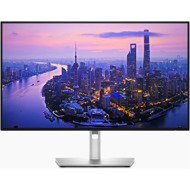
27" Dell UltraSharp U2725QE
In stock > 5 pcs
16,690,-
Add to Cart

Ondřej, Ústí nad Labem
Rated 07/10/2026, variant 27" Dell UltraSharp U2725QE
Verified purchase - review from a price comparison website
High contrast (when working with text)
Plenty of ports (multiple video inputs, including USB-C)
High resolution (when watching videos, when working)
Thin frames
0 ×Report
Automatic translation
Anonymous customer
Rated 12/08/2026, variant 27" Dell UltraSharp U2725QE
Verified purchase
4K HDR 120Hz
Thunderbolt hub, DisplayPort daisy chain
Auto KVM Switch! - auto switching between my laptop and desktop, including the second daisy-chained monitor.
Slight coil whine
HDR local dimming is useless
0 ×Report
Automatic translation
Anonymous customer
Rated 22/06/2026, variant 27" Dell UltraSharp U2725QE
Verified purchase
A great monitor – 27 inches is the ideal size for a desk
Superb, crisp 4K picture
A jam-packed HUB with all the ports you need 👌🏻👍🏿
I’ve got it with my Mac Mini M4 (2024) and it’s the perfect combination
It’s completely free of coil whine 👌🏻✌🏻
maximum satisfaction
I don't know about anything
a minor drawback – it doesn’t have speakers
0 ×Report
Automatic translation
Customer, Kraslice
Rated 12/06/2026, variant 27" Dell UltraSharp U2725QE
Verified purchase - review from a price comparison website
4K
0 ×Report
Automatic translation
Anonymous customer
Rated 01/05/2026, variant 27" Dell UltraSharp U2725QE
Verified purchase
I read some negative reviews and fortunately they didn't come true. I use the monitor with my macbook M1 pro. I have one cable to the mac and from the monitor I daisychain another display (portable mishura QHD), I have ethernet connected to it (1gbps tested and works) + about 5 usb devices - 3x midi keys, soundbar and logic mx4 receiver. Everything works fine. The monitor looks good, I use it for programming. 120hz is a nice upgrade but I like the luminosity the best. I have the monitor in a very bright room and at max brightness it has a beautiful picture. Plugged into the VESA stand from Alza without any problems.
One cable to the mac and it can charge, transmit video, internet (ethernet 1gbps), daisychain a second display and usb hub to five devices.
Charges the connected portable display.
My model doesn't even make that squeaking noise when it's plugged in
Great for programming!
Pretty cool menu, although it supports DCC so an app like MonitorControll allows you to adjust brightness via the mac's action buttons.
27' for me the perfect size for 4K
Sure, it's an IPS panel with great responsiveness. Not ideal for games
0 ×Report
Automatic translation
Vojtěch, Budišovice
Rated 14/03/2026, variant 27" Dell UltraSharp U2725QE
Verified purchase
120 Hz
4K, 27"
Great colour, contrast, brightness, HDR
THE HUB
0 ×Report
Automatic translation
Company
Rated 26/12/2025, variant 27" Dell UltraSharp U2725QE
Verified purchase
Basically, I can only confirm what others have written here. The monitor is really great, I was really excited about it and I would like it. But unfortunately as the evening came and everything quieted down, the squealing started to be heard. Coil whine was just on my piece - top right. The squealing was unpleasant and if you work a lot at night, you can't do it. The only possibility is to increase the brightness above 79% or to connect to the USB some bit of power - maybe a mobile, then it stopped. I had to return it, but it's a real shame, I would have liked it.
Really great picture
Excellent black colour
Coil whine - squealing from the power supply
0 ×Report
Automatic translation

Viktorie, Praha
Rated 15/11/2025, variant 27" Dell UltraSharp U2725QE
Verified purchase
connection with Mac works 1*
KVM
silent, no noise from the coil, as usual with the 32" model
PPI density is better than 32"
32" would be more suitable, but...
0 ×Report
Automatic translation
Anonymous customer
Rated 20/07/2025, variant 27" Dell UltraSharp U2725QE
Verified purchase
The monitor itself is excellent - the image quality, colours and viewing angles are absolutely superb and overall I am extremely happy with it. Unfortunately, quality control is a bit lacking. I have claimed the monitor twice: the first piece suffered from significant IPS backlight bleed and had a crooked rear plastic cover, the second one emitted an unpleasant coil whine. So it was only on the third attempt that I received a flawless piece. I appreciate Dell's customer service all the more. Even though I had long exceeded the standard 14-day time limit, all I needed was one call to support. They asked me for a photo of the serial number of the monitor taken from the back along with a ticket that had the case number and date on it - they didn't even need an invoice. On the same day, Dell sent me a new, unpacked piece, which I plugged in, and the next day a courier picked up the defective monitor. Both complaints resolved within one week.
120 Hz refresh rate
4K resolution
3000:1 contrast
USB-C (Thunderbolt 4) connectivity
Possible daisy chaining of monitors
Dell Customer Support
Quality control
0 ×Report
Automatic translation
Anonymous customer
Rated 11/07/2025, variant 27" Dell UltraSharp U2725QE
Verified purchase
I bought the monitor after trying out the cheaper Dell U2724D and was initially very happy with it. Unfortunately, it turned out that the monitor suffers from coil whine, even in standby mode (monitor off and plugged into electricity). I tried 2 pieces, identical problem. For this amount of money, I was somewhat disappointed with the quality. But who knows, maybe Dell will release new firmware or change electronic component suppliers and in six months the situation will be different. For now, I'll look to the competition.
Practical connection to MacBook via thunderbolt cable.
A picture-pleasing work monitor. Good angles, good colours. 120Hz + 4K is a great combination.
Integrated hub with a large number of USB ports.
I have not noticed a problem with monitor response when gaming as some sources claim.
Thin symmetrical frames, no logos, looks nice on the table.
Around the bottom edge of the monitor, there is a roughly 1cm band where the colours are significantly darker.
More noticeable "shimmering" effect of the anti-reflective layer, but nothing terrible.
The monitor suffers from the so-called. coil whine (the squealing sound of electronic circuits). The problem occurs when the monitor is not sufficiently loaded with power. The monitor beeps continuously in standby mode and unfortunately the sound is noticeable even when connected via thunderbolt to a fully charged laptop.
0 ×Report
Automatic translation