
Reviews ASUS ExpertWifi EBR63
Interested in reviews of ASUS ExpertWifi EBR63? It got 4.5 out of 5 stars from our customers. Find specific customer reviews of ASUS ExpertWifi EBR63 below. We will appreciate if you also share your experiences with ASUS ExpertWifi EBR63 after purchasing.
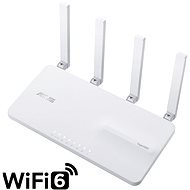
ASUS ExpertWifi EBR63
Discontinued

Zdeněk, Ostrava - Dubina
Rated 01/02/2026, variant ASUS ExpertWifi EBR63
Verified purchase - review from a price comparison website
Very solid wifi router. Extensive setting options. Perfect wifi signal coverage, in my case a 68 m2 prefab apartment. 5G signal absolutely in the entire apartment and loggia. The ability to hang the router on the wall is a big plus from my point of view.
Very high quality product
Perfect wifi coverage
Possibility of hanging on the wall
Application in Czech
Possibility of very similar settings
From my point of view, nothing.
0 ×Report
Automatic translation

Roman, Liberec 30
Rated 22/03/2025, variant ASUS ExpertWifi EBR63
Verified purchase - review from a price comparison website
I have been using ASUS for over 20 years and I am satisfied
As with any electronic device, glitches occasionally occur.
Older products are no longer supported - firmware updates, drivers
0 ×Report
Automatic translation

Rostislav, Dobruška
Rated 04/03/2025, variant ASUS ExpertWifi EBR63
Verified purchase - review from a price comparison website
AiMesh is not working ideally, will have to adjust settings.
Clear app, lots of settings, size, wifi 6, performance
0 ×Report
Automatic translation

David, Veverská Bítýška
Rated 22/09/2024, variant ASUS ExpertWifi EBR63
Verified purchase
Powerful router
0 ×Report
Automatic translation

Anonymous customer
Rated 05/08/2024, variant ASUS ExpertWifi EBR63
Verified purchase
Executive
pleasant news
wifi 6
compact
AI Mesh
maximum satisfaction
0 ×Report
Automatic translation
Marcel, Klobuky
Rated 24/02/2024, variant ASUS ExpertWifi EBR63
Verified purchase
I originally considered one of the PRO models, but the EBR63 specs met everything I wanted from it. Hilarious design and the white color are great. In conjunction with AiMesh separating the networks into VLANs, IoT finally standalone in the whole house. It can even DHCP for each VLAN, it just can't fix IP/MAC. This is a problem, for example. for sockets that cannot be set to a fixed IP address in conjunction with Home assistant. Manual IP assignment in DHCP works only on the main network. VLANs work for both LAN and Wifi, so I don't have to have two routers side by side anymore. Clear web interface and mobile app. As with all previous Asus routers, the first firmware is not perfect. The original idea that I would have everything set up in one afternoon stretched over several evenings. The router behaves confusingly after each change of settings. Most of the problems (Wifi disconnecting, AiMesh not working. ) was solved by a reboot. For example. two phones next to each other, one connected to the main Wifi, the other cannot connect - incorrect Wifi password. Rebooting the router solved the problem again. Dual Wan does not work, does not respond to USB modem or phone. The web app doesn't display the list of devices on the network correctly, some are missing, others offline are pretending to be connected (just like my previous Asus routers) The mobile app doesn't have this problem.
If Asus fixes the flaws, this combined with the low price will be an ideal solution for secure IoT use.
LAN and Wifi VLAN support
as with all previous ASUS models I've had - firmware
0 ×Report
Automatic translation
Tomáš, Lípa nad Orlicí
Rated 22/02/2024, variant ASUS ExpertWifi EBR63
Verified purchase
Purchased as a replacement for a vintage TP-link (WR1043ND). I considered various "hi-tech" options, like Mikrotik etc., but in the end I backed down to this more "folksy" solution and I have no regrets. Due to WAN connectivity of tens of MBit: -( I don't make much use of the "absolute" speed - but it is still obvious that the router handles the simultaneous operation of the 10 or so most active devices in the household (PC, NTB, mobile phones, Smart TV) dramatically better. I've played around a lot with security, I have also set up VLANs, respectively. SDN (after I found out that some of the devices in my home don't support WPA3, I made them their own "dirty" VLANs: -)) ).
There is a plethora of options for setting up and controlling traffic, the web interface is sophisticated (and with quite well written explanations, although sometimes it is better to switch to English because it was probably not translated by a networker). A separate praise deserves the mobile application, which is really great, user friendly. You can see the data streams of each device (good to name them and assign them the right icons) and if you're not getting enough speed, you can quickly throttle or cut another device (= the rest of the family is "excited" about it).
I played around for a few days, trying to get as many features as possible (I still didn't get them all). Now it's in service, I don't know about it, everything is working - which I need.
With great hope and then disappointment is associated with the function of backup connectivity via USB. In the beginning, it looked like you could actually just plug in your phone and turn on USB Tethering on it and you're "good to go". Either it requires knowledge that I don't have, or it is a defect in the "young FW" (the version documentation describes this feature only in the latest release). I rarely need a backup on an ad hoc basis, and in the end it's easier to plug my phone directly into a working NTB.
I have tried to run a printserver on a previous router (printer at the router and everyone can print), but again it is confirmed that this solution does not achieve the operational usability and reliability of an "adult" network printer. So for those occasional prints, family members go with laptops and a USB cable to the printer: -(.
I haven't used the AirMesh challenge yet, and I don't plan to get any more supporting devices. I solve the extender to remote areas with a pair of older Powerline devices (TP-Link).
Operational stability
Lots of settings for toys
Good documentation even for the not-so-savvy networker
Pretty cool design
Really sophisticated mobile app
Possibility to turn off the LED
WPA3
Dual WAN function - may not be fine-tuned yet
Unclear remote access solution.
USB Print Server not much.
0 ×Report
Automatic translation

Customer, Štúrovo
Rated 25/02/2024, variant ASUS ExpertWifi EBR63
Verified purchase
Cena
Pokrytie WiFi a namerané rýchlosti
Firmware je absolútne nepoužiteľný ! Po pár úkonoch sa UI spomaľuje až nakoniec zostane bez odozvy !
Napriek pevným IP adresám v hosťovskej sieti si zariadenie priradí IP "aké chce". Pre správne (a absolútne nezložité) menežovanie siete nepoužiteľný firmware ! Slová "business" a "expert" sú len marketingový ťah !
0 ×Report