
Reviews AXAGON ADSA-1S SLIMport
Interested in reviews of AXAGON ADSA-1S SLIMport? It got 4.7 out of 5 stars from our customers. Find specific customer reviews of AXAGON ADSA-1S SLIMport below. We will appreciate if you also share your experiences with AXAGON ADSA-1S SLIMport after purchasing.
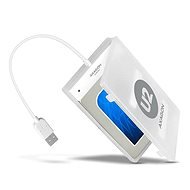
AXAGON ADSA-1S SLIMport
In stock > 10 pcs
199,-
Add to Cart

Jan, Kolín
Rated 23/03/2020, variant AXAGON ADSA-1S SLIMport
Verified purchase
it works as it should, it has fulfilled its purpose
sometimes a longer cable would be useful
0 ×Report
Automatic translation

Tomáš, Liberec
Rated 02/02/2020, variant AXAGON ADSA-1S SLIMport
Verified purchase
It works
Nothing
0 ×Report
Automatic translation
Tomáš, Liberec
Rated 30/01/2020, variant AXAGON ADSA-1S SLIMport
Verified purchase
Ideal for the application.
Nothing
0 ×Report
Automatic translation

Martin, Ostrov
Rated 25/01/2020, variant AXAGON ADSA-1S SLIMport
Verified purchase
He lived up to expectations
0 ×Report
Automatic translation

Marie, Olomouc 9
Rated 18/01/2020, variant AXAGON ADSA-1S SLIMport
Verified purchase
o. k.
nothing
0 ×Report
Automatic translation

Jana, Kosoř
Rated 05/01/2020, variant AXAGON ADSA-1S SLIMport
Verified purchase
for a few bucks a working product, with SSD it's a bigger flash drive
none
0 ×Report
Automatic translation

Lubomír, Praha 2
Rated 03/07/2019, variant AXAGON ADSA-1S SLIMport
Verified purchase
Standard quality and durability for external drives
0 ×Report
Automatic translation

Jakub, Brno
Rated 07/06/2019, variant AXAGON ADSA-1S SLIMport
Verified purchase
small transparent box
easy installation
the disc went in a little bit better
0 ×Report
Automatic translation

Oldřich, Nebužely
Rated 28/05/2019, variant AXAGON ADSA-1S SLIMport
Verified purchase
super simple and immediately usable
the second piece worked: / pry 54 complaints out of 12 thousand sold: D
0 ×Report
Automatic translation

Jiří, Zlín
Rated 27/04/2019, variant AXAGON ADSA-1S SLIMport
Verified purchase
Fully functional
For the price, a matching design
You don't have to set anything up just insert the disk and connect to the pc after a while the disk will display itself
0 ×Report
Automatic translation