
Reviews Creative Sound Blaster X4
Interested in reviews of Creative Sound Blaster X4? It got 4.5 out of 5 stars from our customers. Find specific customer reviews of Creative Sound Blaster X4 below. We will appreciate if you also share your experiences with Creative Sound Blaster X4 after purchasing.
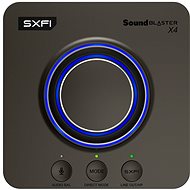
Creative Sound Blaster X4
In stock 5 pcs
3,190,-
Add to Cart

Ondřej, Senožaty
Rated 24/08/2026, variant Creative Sound Blaster X4
Verified purchase
works immediately after plugging in
Absolutely superb sound in combination with Beyerdynamic MMX 300 PRO headphones
The volume is more than sufficient.
separate input for microphone
looks nice
A bit bigger than I expected.
0 ×Report
Automatic translation

Marcel, Havířov
Rated 19/07/2026, variant Creative Sound Blaster X4
Verified purchase
Product experience – Creative Sound Blaster X4 (professional technical review)
I’ve been using it for a long time and, over that period, I’ve realised that the main problem isn’t the X4 itself, but the whole chain of latency between the hardware, the drivers and the USB connection.
A sound card is highly sensitive to how the various components of the system communicate with one another – and this includes: Creative drivers, which have poorly implemented audio path control and are unable to work correctly with the X4, NVIDIA drivers, which affect USB polling and may disrupt timing; modern CPUs, which dynamically change core frequencies due to power-saving modes – and this does the audio stream no favours at all; basic USB cables, which are unable to maintain a stable data stream; and communication between the GPU, the CPU, the motherboard, the BIOS and the power supply, which in certain situations ‘clash’ and disrupt audio stability. 🔧 What I did and why it’s finally working properly
After years of trouble, I completely replaced the cabling with premium, shielded versions, which have significantly improved the stability of the signal transmission: 3× shielded Vention cables – green braided, high-quality shielding, gold-plated connectors, reliable contact. 1× premium white braided USB-C to USB cable from Alza – shielded, designed for data transfer, not just charging. Used as a replacement for the standard cable, which was unable to cope with the data transfer. 🎧 What it actually did for me
This cabling doesn’t fix the software glitches, but it’s finally delivered a high-quality sound that my ears haven’t heard in years.
The standard cables muffled the sound, distorted it and couldn’t keep up with the data flow. After the replacement, the sound is: Clean, precise, stable, with no erratic latency – a problem caused mainly by Creative drivers and the behaviour of modern CPUs and motherboards; no dropouts – a problem typical of Creative drivers; no crackling – again, a problem with Creative drivers. At last, it’s performing as it should – your ears don’t hurt even after listening for a long time, nothing sounds muddy, nothing falls apart, and the spatial sound is precise. 🔧 Drivers – the main culprit
The most important step was to uninstall the entire Creative driver package.
These drivers have poorly implemented audio path management, communicate poorly with the hardware and cannot operate reliably with X4 – they cause crackling, audio dropouts and unstable latency. I recommend using only the basic drivers from Windows 11, which are downloaded automatically.
They are lightweight, stable and do not interfere with USB timing. 🎧 Result after all adjustments
After combining: With high-quality cabling, the basic Windows drivers, BIOS adjustments (to limit the CPU’s power-saving modes), a stable power supply and a clean USB connection, the X4 runs absolutely smoothly and the sound is finally just as it should be. 🎧 Who is the X4 suitable for?
I’d recommend it to people who want a full 5.1 surround sound system, have a suitable setup and understand how the audio chain works.
If you know how to tweak it, you’ll get the best possible performance out of the X4, but it’s important to realise that stability depends on the whole system – not just the graphics card.
Clear sound; precise and stable transmission; high-quality 5.1 surround sound; after replacing the cables, I finally got the full quality that the standard cables were stifling; shielded Vention cables + premium USB-C → USB from Alza = stable data transfer; no erratic latency (after using the W11 drivers) Long listening sessions without ear fatigue
– Drops – caused solely by Creative drivers – Crackling – a problem exclusive to Creative drivers – Unstable latency – a combination of Creative drivers and the behaviour of modern CPUs, GPUs, motherboards and BIOS – Creative drivers ‘clash’ with the hardware (CPU power-saving modes, NVIDIA, USB timing)
– Standard USB cables can’t handle a stable data stream – but there’s a solution to everything — if you tinker with it a bit, use the right cables and stick to the W11 drivers, it works stably in the long term
0 ×Report
Automatic translation
Petr, Praha 10 - Strašnice
Rated 28/10/2025, variant Creative Sound Blaster X4
Verified purchase
Replacement for Asus Xonar U1, where the control software does not work after update to 23H2. Logitech Z-5500 speakers. The analogue outputs sound like a tunnel, there is a permanent effect (reverb) that cannot be turned off, only when using Direct Mode it sounds almost as good as the optics. Better than the onboard Realtek (which mainly forgot channel volume corrections), but functionally it could be better.
Dolby Digital Live encoding for optical output
analogue outputs and optics
chosen because it looks like the software and drivers are still regularly updated
FW update out of the box
2m long USB-C cable included
can't adjust channel volume when using SPDIF (Asus Xonar U1 could), same with volume
Smart Volume again doesn't seem to work as well as on the U1, early to tell
the control application eats CPU (only when in use) and is slow
permanent blue light around the volume control, I didn't find that it can be turned off - it lights up "medium", not extra much
0 ×Report
Automatic translation

Tomáš, Pardubice
Rated 07/05/2025, variant Creative Sound Blaster X4
Verified purchase - review from a price comparison website
New X870E board and it doesn't have jack ports for 5.1 speakers. So after years and hours of trying to crank up Dolby 5.1 sound through windows via optical cable, I gave up bought a soundcard and should have done it a long time ago. I'm finally using the 5.1 dolby speakers to their full potential. What's the point - neither windows nor the board have paid Dolby licenses, so in windows settings your dolby test works, you have the hardware to do it, but you don't have the licenses. You buy this sound card and it has it paid for and suddenly everything works. Not to mention the clear and powerful sound. Just great. Not to mention that you will never solve this problem in the future.
New X870E board and it doesn't have jack ports for 5.1 speakers. So after years and hours of trying to crank up Dolby 5.1 sound through windows via optical cable, I gave up bought a soundcard and should have done it a long time ago. I'm finally using the 5.1 dolby speakers to their full potential. What's the point - neither windows nor the board have paid Dolby licenses, so in windows settings your dolby test works, you have the hardware to do it, but you don't have the licenses. You buy this sound card and it has it paid for and suddenly everything works. Not to mention the clear and powerful sound. Just great. Not to mention that you will never solve this problem in the future.
after connecting the headphones, some of their headphone addon was installed and the 5.1 sound on the speakers stopped working. I had to hard uninstall drivcery and delete the registry and reinstall. But I probably made a mistake in the beginning when installing the drivers - make sure you open the installer as administrator when you install them. I think that's where the problem was.
0 ×Report
Automatic translation

Přemysl, Praha
Rated 05/04/2025, variant Creative Sound Blaster X4
Verified purchase
It's playing well.
Usb-c connections.
Plastic body like a toy store.
The controls look fragile.
Weak microphone input. Amplification only in the accompanying application.
You cannot take full advantage without installing apps.
Most of the features are useless to me. Mostly I needed a microphone and that's a bummer.
0 ×Report
Automatic translation

Anonymous customer
Rated 10/03/2025, variant Creative Sound Blaster X4
Verified purchase
I use with beyerdynamic DT 990 Pro 250 Ohm headphones
Lots of settings
I can switch between headphones and speakers via a button
0 ×Report
Automatic translation
Anonymous customer
Rated 18/11/2024, variant Creative Sound Blaster X4
Verified purchase
if you use mainly headphones, I can 100% recommend, SXFI is great.
The headphone jack is called. combo-jack, so if you are going to connect a headset with two jacks, order the reducer right away: https://www.alza.cz/alzapower-3-5mm-jack-4p-trrs-m-to-2x3-5mm-jack-f-0-15m-adapter-cerny-d7327875. htm
with SXFI on, it plays really well in the headphones
works without installing Creative's software - in Win 11 it configured itself and plays immediately after connection
power supply and audio transfer from/to the computer with a single USB cable.
solid construction, quality workmanship, looks nice on the table
it is necessary to read the manual to get acquainted with the control, it is not exactly simple/intuitive
0 ×Report
Automatic translation
Anonymous customer
Rated 12/07/2024, variant Creative Sound Blaster X4
Verified purchase
Just plug the card in and it works straight away, I recommend downloading the drivers and if everything works, turn off automatic firmware, software and app updates - the next update might be bad, which happened 3 months ago. and why doesn' t Alza mention the possibility of up to 7.1 connection, compatibility with PS4, PS5, Switch and Mac in the product? I' m looking for a sound card with 7.1 surround in the sound card section, and only then I find this ideal one in Amplifiers: D
great sound
very powerful amplifier, I recommend turning down the volume when connecting for the first time
connection for up to 7.1 Surround
software not much, settings are enough, but if you want good sound, EqualizerAPO is your only choice
I use the card without the Creative app, I strongly recommend solving all bass management and equalizers through external software such as EqualizerAPO, it plays luxuriously like a 2.1 system
0 ×Report
Automatic translation