
Reviews Flashforge AD5X
Interested in reviews of Flashforge AD5X? It got 4.4 out of 5 stars from our customers. Find specific customer reviews of Flashforge AD5X below. We will appreciate if you also share your experiences with Flashforge AD5X after purchasing.
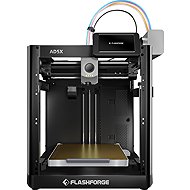
Flashforge AD5X
In stock > 5 pcs
10,090,-
Add to Cart

Customer, Sokolov
Rated 08/12/2025, variant Flashforge AD5X
Verified purchase
It is my first personal 3d printer, and it does what it was meant to. Cannt complain at this price point.
Works directly from the box
Can be upgraded with closed enclosure
supports wide variety of filaments
0 ×Report

Pavel, Ostrava
Rated 29/11/2025, variant Flashforge AD5X
Verified purchase
very fast printing until I was surprised.
a little more noisy


0 ×Report
Automatic translation

Vladislav, Plzeň - Lobzy
Rated 28/11/2025, variant Flashforge AD5X
Verified purchase
A great printer with multi-material printing at this price. Good handling and easy to change filaments. I have no problem printing with this printer.
Price
Multimaterial printing
Print speed
I printed a while after unpacking
In multi-material printing, it consumes a lot of material.
0 ×Report
Automatic translation

Jan, Chomutov
Rated 21/11/2025, variant Flashforge AD5X
Verified purchase
After reading the reviews here on Alza I was skeptical about buying it, but in the end I have no regrets. I assembled the printer without instructions in about 30 min, it calibrated itself and after inserting the filaments, I did a test print. I have to say that after switching from the existing Ender 3v2 Neo printer, this is a real fast one. The token was printed in about 15 minutes, which was really fast. I also like that the printer has a rubber nozzle cleaner at the waste well for the extruded filament. True, it is noisier because it is uncovered, but I can solve that by putting it in a cabinet where the temperature will be more stable. Although I have listed some cons, these are mostly "cosmetic" defects, the machine itself is great and I'll be thinking a lot about getting rid of the Ender and buying 1 more 😊
Print speed
Automatic calibration
Compilation
Multi-colour printing
Overall impression
For me, probably the cheapest multi-material printer with a vertically moving pad
Connectivity, printing directly from their slicer
A little noisier, but I'll solve that by putting it in a cupboard.
It's a bit of a shame that the switch is at the back
The waste filament well faces backwards, so placing it near the puppy is a bad idea, but I'll print a "chute" to make the mess go forward for easier emptying of the container.
There is a camera in the photo but the caption then states it is not included, bit of a shame when even the app is ready to project from it.
If you don't know Orca slicer (like me) you will get lost in flashforge slicer for a while, but YouTube will help you

0 ×Report
Automatic translation

Jan, Neratovice
Rated 17/08/2025, variant Flashforge AD5X
Verified purchase
As a newcomer to 3D printers, I have to say that the AD5X was the perfect choice. I've printed a bunch of things without a proper knowledge of practically anything, and all of them are practically perfect.
Control via PC and phone
I use the basic "Flashforge PLA Generic" profile and everything works great with Alzament Hyper Plus
Fast printing
Setting up the printer in 30 minutes, the manual has a few steps and is very well done
0 ×Report
Automatic translation

Martin, Praha
Rated 26/07/2025, variant Flashforge AD5X
Verified purchase
The printer acts as a production model. The bigwigs thought it was good for the eastern market, and sent it out. For the price I didn't expect a top machine, but this klumpr still needs to be put in the oven, and finished nicely on the crust. I managed to print the attached test Benchy after two hours of mostly futile attempts to prepare the filaments. The next day, fortified by a good night's sleep, I set about printing two 4-coloured frogs. I decided to try to outsmart the printer before printing, and outsmart the filament creep - I opened each color nicely in software, so that the printer would pick it up, smudge it itself, and then put it in the position it liked best. My heart danced when the first two colours came through. But then the green light came. This, as you know, is quite cruel to frogs. And she, although already scribbled, cut and prepared by the printer, started to scribble. TLDR: I'm not a paid tester, and with my prostate I can no longer spend months waiting for a tweaked version, and hours watching when the filament decides to spike. Just to illustrate, he got stuck on the frogs in exchange #3 of 434. I note that the filaments were clean, and dried from SUNLU FilaDryer S4. This printer will discourage beginners, and disappoint the advanced.
Printing of the test file (Benchy) quality, fast. And that's about it.
Wi-Fi connection and displayed IP.
Absurd pickiness on the filament used. I don't smell some PLA Alzament, Prusament, Elegoo or Creality. I didn't even get to test the others.
Poor quality of IFM unit calibration.
The filament joint is designed in such a way that the filaments like to get stuck in it. You can't visually disassemble it (either non-destructively or so you don't lose your warranty), so heat it up over the lighter and pray.
No Z offset setting. This could be avoided, but only if the first layer after leveling is top notch.

0 ×Report
Automatic translation