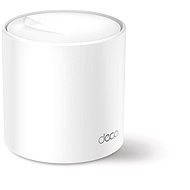
Interested in reviews of TP-Link Deco X50(1-pack)? It got 4.7 out of 5 stars from our customers. Find specific customer reviews of TP-Link Deco X50(1-pack) below. We will appreciate if you also share your experiences with TP-Link Deco X50(1-pack) after purchasing.
Disappointment of switching from Deco M5 to Deco X50 - services that were free are now paid for For a long time I used Deco M5 and was satisfied - simple setup, stable network and features like parental control, malicious site blocking and network protection were available for free. I decided to upgrade to the newer Deco X50 model for better coverage and the ability to limit the connection speed to individual devices. Setting speed limits seems to be possible, the network seems stable so far (I'm only testing it for the first day), so technically I'm satisfied so far. But what I found very disappointing and completely incomprehensible is the change in the business model for Security+ services. What was free with the Deco M5 is now charged as a monthly subscription for the X50 - separately for each network. I have two separate Deco networks in two locations and have been told by tech support that: I have to have a separate subscription for each network and create separate TP-Link accounts on top of that, because one subscription cannot be shared between multiple networks on one account. After investing a few thousand in a new device, I find this model completely absurd and totally unfriendly from the user's point of view.
services that were previously free are not required to pay
if you go through the basic settings, then everything works without maintenance
the setup looks simple, but I had to restart the routers several times before everything caught up as it should
even though everything seemed to work on the device, it was not displayed correctly in the application. only several restarts of the application helped
great accessibility in the open space, after closing the door the accessibility noticeably decreases
In our duplex apartment, the system did not work. Our old dual-band router + extender easily put it in the pocket. The loss of speed was huge no matter where I tried to place the second satellite. And I'm not going to pay a bundle just to make it look like one network at the cost of 10x slower wifi on the second floor.
nice app, where everything basic can be set in peace
at first glance I would say that there are fewer settings in the app than in the regular router administration, but everything I needed so far I found in the app
No loss of speed or ping in the mesh even three walls and 30m away
0 ×Report
Automatic translation
Try our cookies
Alza.cz a. s., Company identification number 27082440, uses cookies to ensure the functionality of the website and with your consent also to personalisage the content of our website. By clicking on the “I understand“ button, you agree to the use of cookies and the transfer of data regarding the behavior on the website for displaying targeted advertising on social networks and advertising networks on other websites.