
Reviews Umax VisionBook 11WT TAB
Interested in reviews of Umax VisionBook 11WT TAB? It got 4.5 out of 5 stars from our customers. Find specific customer reviews of Umax VisionBook 11WT TAB below. We will appreciate if you also share your experiences with Umax VisionBook 11WT TAB after purchasing.
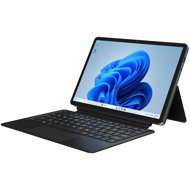
Umax VisionBook 11WT TAB
On the way 1 pcs
7,990,-
Add to Cart

Jan, Beroun
Rated 08/09/2026, variant Umax VisionBook 11WT TAB
Verified purchase
In some respects, I find the features to be above standard. Unfortunately, this is let down by an extremely annoying keyboard; it's genuinely impossible to work on. It's fine for a holiday. For school, I'm not so sure, unless you don't intend to do much typing. For the money, you can forgive it a lot.
Decent performance for everyday tasks. I bought it as a knockabout machine for travelling, but I'm suddenly finding that my much more powerful machines are just sitting in the corner gathering dust. This one is quiet, doesn't get hot, and doesn't take up any space.
The display is good, the colours don't shift when viewed from the side, probably an IPS panel. Photos look okay on it, the colours don't bleed into each other.
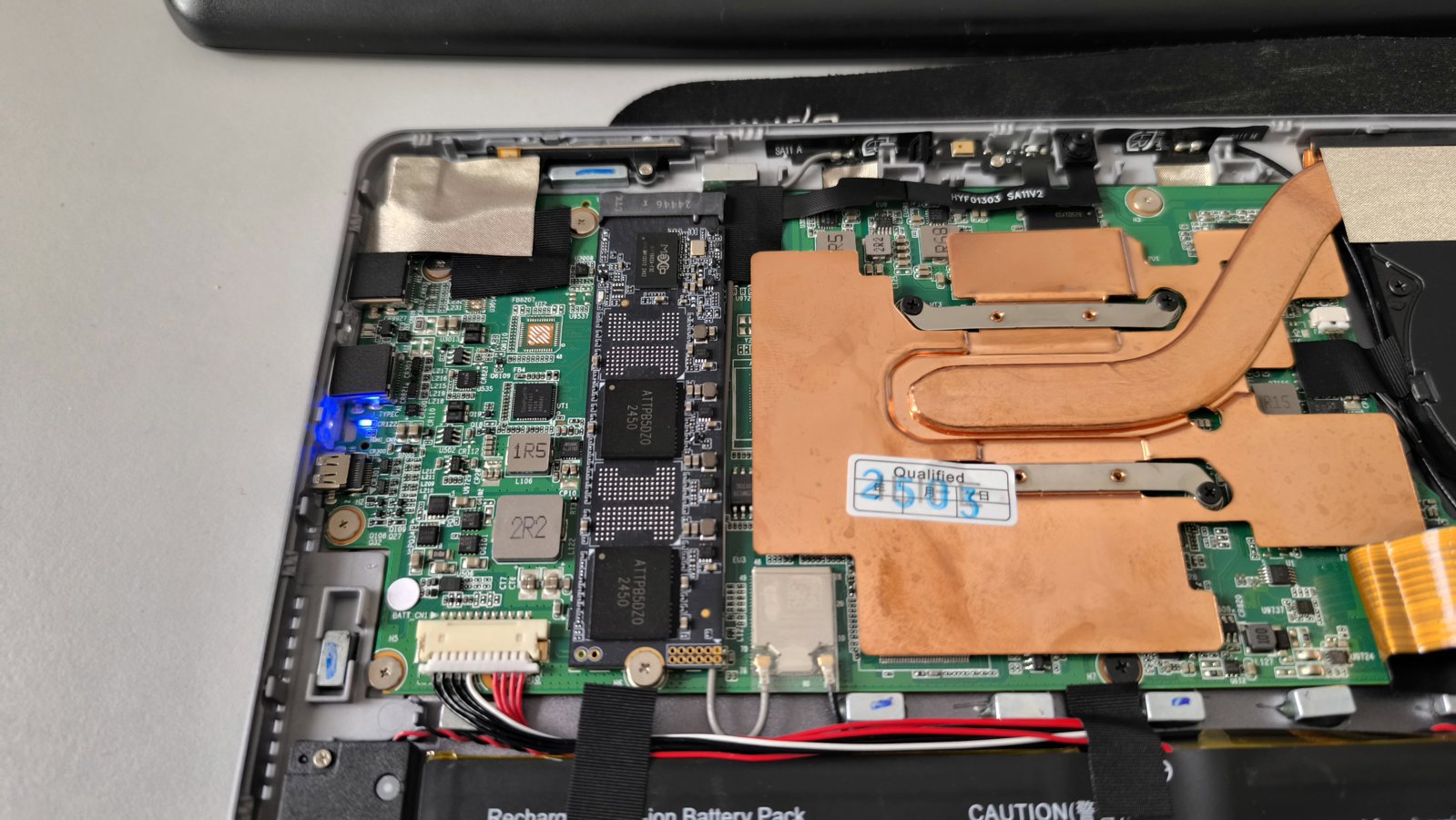
It's a relatively easy machine to service, you just need a plectrum to pry up and unclip the display. No glue-based nightmare. Inside, there's a standard M.2 drive, long flat cables, and some very decent-looking cooling.
Win11 Pro (not Home)
The keyboard is extremely annoying. I'm not a demanding user, but the chance of it missing a letter is far too high. The spacebar is the main thing that doesn't work; when typing quickly, it's about 50/50. Then it quite often happens that the cursor jumps up a line and you start overwriting what you've already written. It probably activates the touchpad even if you just bring your finger close to it. I've never had such problems with any other keyboard. A terrible piece of junk.
The body looks quite sturdy and plastic-coated, but it isn't. The chassis isn't glued and has a tendency to twist. The display developed a small crack near the edge after the first week. The device was transported in a plastic case, inside a neoprene sleeve, surrounded by clothes, and even that wasn't enough. For a "travel" device, that's a pretty serious problem.
It doesn't have classic hinges; it's a tablet with a flexibly attached stand and keyboard. Therefore, the tablet doesn't have the necessary stability when using it on a train or bus. It keeps falling over. Again - a problem for a travel device.
It lasted 3 weeks before it completely died. Adding that to the previous problems, it's mechanically complete rubbish. A real shame, it has potential.
0 ×Report
Automatic translation

Anonymous customer
Rated 23/06/2026, variant Umax VisionBook 11WT TAB
Verified purchase
It was a pleasant surprise in every respect. Perfect for everyday use, ideal for travelling. I used to have an MS Surface Go, and although it looks better, the value for money is definitely better with the UMAX.
Small, compact
The range of ports is sufficient
Everything works as it should
Great price
For the price, probably nothing.
0 ×Report
Automatic translation

Ivo, Praha 9 - Čakovice
Rated 13/06/2026, variant Umax VisionBook 11WT TAB
Verified purchase - review from a price comparison website
I’m still getting to know it, but it’s exactly what I need.
0 ×Report
Automatic translation

Kristina, Zlín
Rated 02/06/2026, variant Umax VisionBook 11WT TAB
Verified purchase - review from a price comparison website
battery too weak
0 ×Report
Automatic translation

Martin, Praha
Rated 01/06/2026, variant Umax VisionBook 11WT TAB
Verified purchase - review from a price comparison website
as expected
0 ×Report
Automatic translation
Company
Rated 01/06/2026, variant Umax VisionBook 11WT TAB
Verified purchase
Watch out for USB-C. The top one is not full size and is for charging with the supplied 12V charger and data. Lower is USB-C DP/PD. Maybe that's why there are reviews where even with a strong PD charger, the laptop is reported to charge slowly.
Windows Pro
Factory-configured Windows to not do what it wants. Automatic updates are disabled!
After falling with the edge directly on the carpet, nothing cracked and it opened nicely (it's easy without falling, someone here says it's hard). It has to go under the LCD, not under the backs.
M.2 slot 2280 is really there and is even SATA+nvme, if I remember correctly so 2x PCIE 3.0. I wouldn't install anything super fast though, it won't cool much and the maximum is a SINGLE drive with no chips on the other side.
Active cooling (fact), it doesn't slow down like other laptops with this processor tend to.
For the money.
The opening of the rear armrest is not well thought out. It would be enough to have a tab that would extend over the edge of the screen.
Magnets hold the backrest and hold and hold until suddenly they don't hold
Battery life up to 5 hours.


0 ×Report
Automatic translation
Company
Rated 22/03/2026, variant Umax VisionBook 11WT TAB
Verified purchase
I use it often, it meets normal use. For more demanding things, I have it connected to a remote desktop. Ideal travel piece.
0 ×Report
Automatic translation
Josef, Mladá Vožice
Rated 07/03/2026, variant Umax VisionBook 11WT TAB
Verified purchase - review from a price comparison website
Sufficient for internet, TV, videos
Slower
0 ×Report
Automatic translation
Ondřej, Praha
Rated 24/01/2026, variant Umax VisionBook 11WT TAB
Verified purchase
That was a good one. The N150 CPU is the bottleneck in the whole system, however the 12GB of RAM, the Pro edition of Win11 and the price of the device bring a lot of tolerance. Even my VMs with Win7 are running quite briskly on it.: )
Price negates virtually all shortcomings
Win11, however, thanks to the manufacturer's choice of the Pro edition, this microsoft tool of doom can be pretty well forced into obedience.
0 ×Report
Automatic translation
Anonymous customer
Rated 21/01/2026, variant Umax VisionBook 11WT TAB
Verified purchase
Great, I recommend it.
I'm speechless!
Unfortunately, as with almost all laptops. weak sound 2x1W .
0 ×Report
Automatic translation