
Reviews Wireless Display Adapter V2
Interested in reviews of Wireless Display Adapter V2? It got 4.2 out of 5 stars from our customers. Find specific customer reviews of Wireless Display Adapter V2 below. We will appreciate if you also share your experiences with Wireless Display Adapter V2 after purchasing.
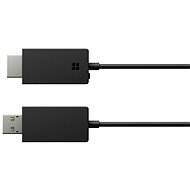
Wireless Display Adapter V2
Discontinued

Pavel, Praha 5 - Stodůlky
Rated 10/02/2021, variant Wireless Display Adapter V2
Verified purchase
It just works
Starts longer than miracast SW on TV
0 ×Report
Automatic translation

Vladimír, Praha
Rated 19/01/2020, variant Wireless Display Adapter V2
Verified purchase
it just works
simple and elegant solution
0 ×Report
Automatic translation

Aleš, Praha 5
Rated 08/03/2019, variant Wireless Display Adapter V2
Verified purchase
the only truly functional wireless display device for windows 10
to really work with the least possible delay and no dropouts you have to lower the resolution of the wireless display to 720p
sometimes it disturbs my bluetooth headphones
0 ×Report
Automatic translation

Jiří, Broumov 1
Rated 20/08/2018, variant Wireless Display Adapter V2
Verified purchase
end of cables
excellent presentation from android devices (tested with Lenovo, Xiaomi, Huawei, Lenovo tablet)
Windows 10 devices connect easily (tested Acer laptop (multiple units), Asus and Toshiba)
can easily handle 1920x1080 video including audio when the desktop is expanded to a connected TV.
connectivity must be tested! The ASUS X555L laptop connected to an older plasma TV without a problem, but the picture transmission was very poor quality, jerky (in an undisturbed environment, no wifi nearby, nothing anywhere, distance from the TV 1 m), like when you have a bad signal when watching TV. In conjunction with an old Sharp LCD it worked without problems
just when I was about to use the device for a presentation, no device managed to connect. Good old HDMI saved me.
not all Windows 10 devices will connect. But this can be easily verified using CMD -> dxdiag -> save to. txt and then search for "miracast" in it. Some older graphics adapters just can't do it. I don't consider this a downside of the device, but a certain ignorance of the user.
It seems to work randomly, sometimes I connect, sometimes I don't. I recommend the device only to those who have time to test it
0 ×Report
Automatic translation

Pavel, Praha 12
Rated 04/07/2017, variant Wireless Display Adapter V2
Verified purchase
Meets my expectations
Transmission quality is only good when the device is close to the TV, otherwise the picture is choppy
0 ×Report
Automatic translation

Lubor, Benešov
Rated 02/05/2017, variant Wireless Display Adapter V2
Verified purchase
Ppdpirates everything. Android, Windows including mobile. Portable, stackable. Oh, my God!
Over longer distances, for more demanding applications, the gypsy. For example. on the video.
0 ×Report
Automatic translation

Milan, Kanice
Rated 20/04/2017, variant Wireless Display Adapter V2
Verified purchase
simple wiring
Easy mirroring of mobile and tablet
Elevates "dumb" TV to Smart
Setting up laptop mirroring with Win10 was a bit of a hassle, but it's working fine now: -)
0 ×Report
Automatic translation

Roman, Hradec Králové 7
Rated 27/03/2017, variant Wireless Display Adapter V2
Verified purchase
Small, elegant to the eye
I personally own two desktop computers (5 and 2 years old) and 3 laptops. 2 old about 5 years and one bought a year ago (Lenovo Yoga). I have Windows 10 on all of them. About half of the computers were already connected, but it didn't happen. Restarts of these machines, nor resetting this Wireless adapter did not help. The biggest success I achieved with Lenovo was when after ten minutes of establishing a connection, the Lenovo Yoga desktop appeared on my TV, but it was so blocky that it was impossible to watch. After a while the dice straightened out, but any movement/change of the window caused the image to tear again. And I put the Lenovo about a meter from the adapter to possibly rule out a weak signal. I also tried changing the home WiFi channel. 10 hours of experiments. And here I thought I was gonna "tuck" and "pop": (((.
I also returned the second piece to Alza within the legal time limit.
0 ×Report
Automatic translation
Martin, Praha
Rated 10/10/2016, variant Wireless Display Adapter V2
Verified purchase
Guaranteed compatibility with MS
Very sensitive to signal strength. The receiver and transmitter must be practically side by side, otherwise the picture quality is poor (or the display won't connect at all). The benefits of "frictionlessness" are sort of lost with this feature.
0 ×Report
Automatic translation
Jaroslav
Rated 30/09/2016, variant Wireless Display Adapter V2
Verified purchase
Size
Easy installation
Video transfer on TV parade
0 ×Report
Automatic translation