
Reviews XPPen wireless shortcut remote
Interested in reviews of XPPen wireless shortcut remote? It got 5.0 out of 5 stars from our customers. Find specific customer reviews of XPPen wireless shortcut remote below. We will appreciate if you also share your experiences with XPPen wireless shortcut remote after purchasing.
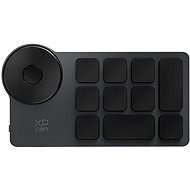
XPPen wireless shortcut remote
Discontinued

Roman, Praha 9 - Černý Most
Rated 06/02/2025, variant XPPen wireless shortcut remote
Verified purchase
Easy to use
Bluetooth connection
Just the right size
Control wheel moves the floor plan, easy to manipulate
Keys with different sizes
Perfect key settings
Context for up to 6 applications
Up to 4 layers of key meanings
Common app for tablets and remote controls for xp-pen products
Backup Setup saves all the setups for all the xp-pen products you have.
The only shortcut cannot be set, Alt+F4, if needed, you have to type Alt and F4 in succession, then you have to back up the settings, open in notepad, edit the corresponding line in two positions, save and import.
0 ×Report
Automatic translation

David, Rýmařov
Rated 04/12/2024, variant XPPen wireless shortcut remote
Verified purchase
Ease of use
Ease of setup
Small size
Long battery life
Wireless transmission
0 ×Report
Automatic translation