
Jak poslat odkaz na vybrané produkty?
1. Vyberte produkty – vyhledejte kódy produktů, na které chcete odkázat. Kód naleznete jak v detailu každého produktu, tak v katalogovém zobrazení.
- V detailu produktu se kód zobrazuje v části pod zeleným tlačítkem Koupit.
- V katalogovém zobrazení se kód zobrazuje po najetí myši na produkt.
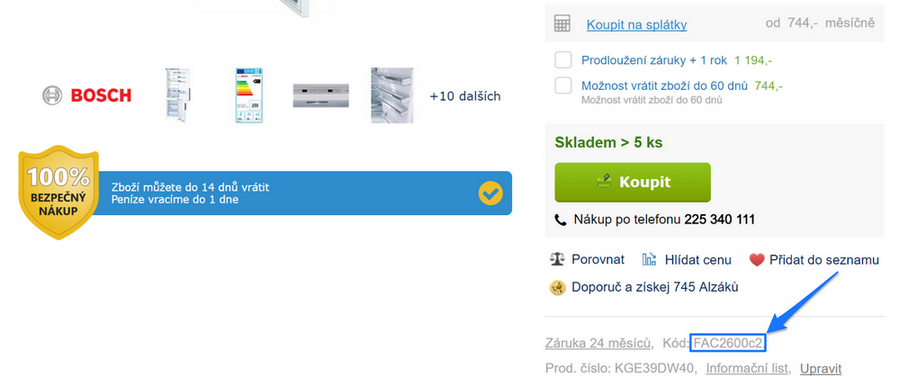
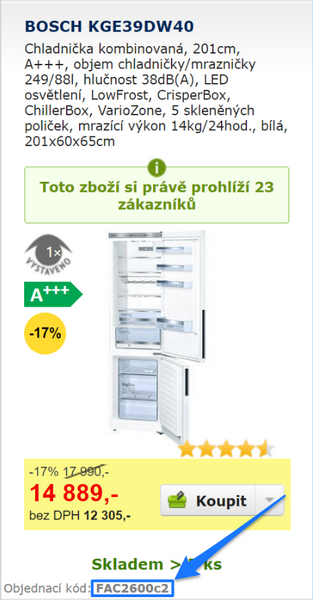
Jako příklad jsme zvolili následující produkty:
- Ledničku s kódem FAC2600c2
- Myčku nádobí s kódem SIEMY42
- Mikrovlnku s kódem EAV2192u
Poznámka: Kódů může být libovolný počet.
2. Poskládejte odkaz z vybraných kódů – všechny tři kódy vložte do adresy "www.alza.cz/kod/..." a oddělte středníkem. Výsledný odkaz tedy bude v našem případě vypadat takto:
Poté již jen stačí při dopsání kódů v adresním řádku klepnout ENTER a zobrazí se vám všechny tři produkty vedle sebe.
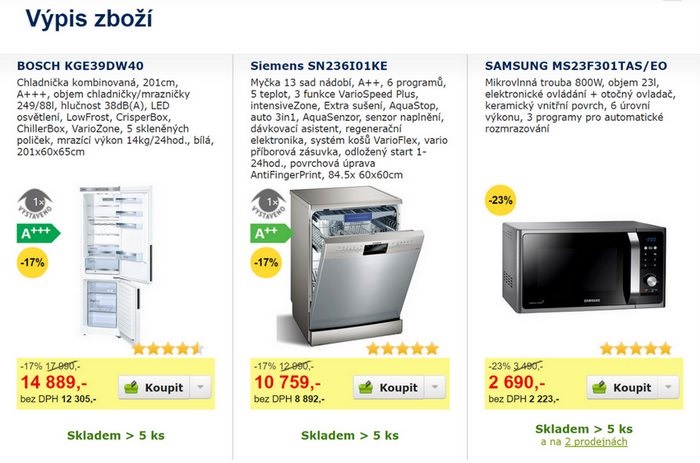
3. Kód odešlete – tento kód již můžete jednoduše zkopírovat a odeslat komukoli e-mailem nebo třeba na Facebooku.