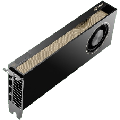
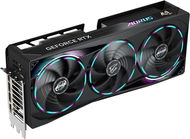
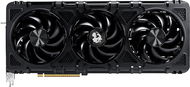
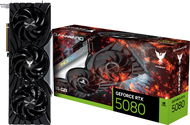
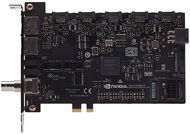
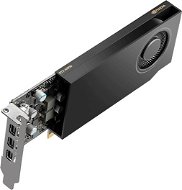
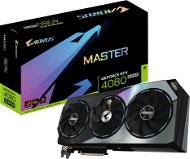
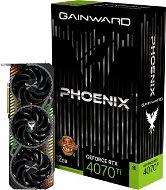
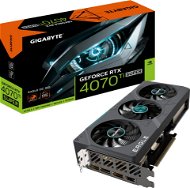
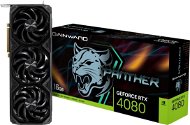
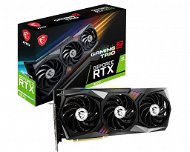
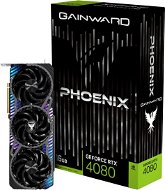
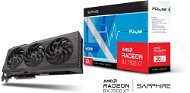
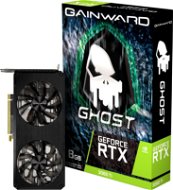
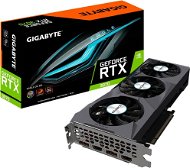
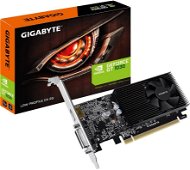
A dedicated graphics card is an indispensable part of any computer where you need more graphics performance than an integrated one can offer. You can use it for gaming, video editing, modelling or any other graphics processing. In this article, we will tell you about different types of graphics cards and what to look for when choosing one.
Graphics cards for gaming PC are used for Full HD to Ultra HD gaming or home 3D graphics and video processing. The most commonly known models of a graphics card for gaming PC for these purposes are the NVIDIA GeForce RTX, GTX and AMD Radeon RX series. If you're a fan of PC tuning, or if you want to literally make your gaming rig shine, there are more than a few graphics with RGB lighting on offer.
Do you know what power your graphics card should have? Try filtering based on results from the performance test database GPU PassMark.
High performance.
Large operating memory.
Good cooling.
Sophisticated design.
Multi-monitor display support.
Higher price.
Higher power consumption.
NVIDIA GeForce RTX Graphics Cards — If You're Serious about Gaming
NVIDIA GeForce RTX graphics cards are one of the most advanced models. These were designed to provide very high performance and is (currently) the only graphics card that can also offer compatibility with modern ray-tracing. Ray-tracing is artificial intelligence, which, thanks to DLSS 2.0 function, adds performance in games. Another tweak is the support for the latest standard DirectX 12 Ultimate and other great features that enable flawless rendering of even the smallest details within the game.
Multimedia Graphics Card
Multimedia graphics cards help where an integrated PC graphics card is no longer enough. It is suitable for common computers in homes and offices. It's enough for standard office applications, surfing the web, streaming videos, watching movies and playing casual games. These are the NVIDIA GeForce GT, AMD Radeon HD and R5 series.
Higher performance than an integrated graphics card.
Low purchase price.
Smaller dimensions.
Lower consumption.
Not suitable for playing newer games.
Lower power.
Professional Graphics Card
Professional graphics cards are designed for powerful workstations to run a variety of graphics software. They are defined by the NVIDIA Quadro and AMD FirePro series and their biggest advantage is the speed of performing Double-precision computations, where there is no artificial speed limitation as with gaming GPUs.
Extremely powerful graphics cards.
Ideal for graphics and CAD/CAM/CFD applications.
Multi-monitor display support.
High price.
Professional PC graphics cards often perform better than the best gaming graphics cards in gaming benchmarks. But you're paying for features you won't use when gaming, so the price/performance ratio isn't great for gamers.
Graphics Card Memory Frequency
The graphics card uses its own RAM, the speed of which has a major impact on performance. The higher memory frequency allows faster data transfer between the core and RAM. With each successive generation of GDDR memory, the frequency doubles. A new category is layered HBMs, which are integrated directly into the graphics chip.
GDDR3 is a niche memory type. Today, a GDDR3 graphics card is only suitable for multimedia or to replace a failing card in an older computer.
GDDR5 is 4x faster than GDDR3, its speed makes GDDR5 graphics cards suitable for gamers.
GDDR5X is up to 2x faster than GDDR5.
GDDR6 is 2x faster than GDDR5.
HBM2 is the name given to new technology with a large memory bus width that allows HBMs to have a much lower frequency than GDDR modules. So far, only selected AMD graphics cards are equipped with it.
Graphics Card Memory Bus — Bandwidth and Throughput
The wider the bus, the more data per clock gets from memory back to the core and vice versa. For GDDR memory types, the bus width ranges from 64 to 512 bits, and for HBM2, the width ranges from 2,048 to 4,096 bits. The huge leap in bus width is due to HBM technology, whose design enables high data throughput.
Graphics Cards - Comparison of GDDR6 vs. HBM2
HBM2 type memories are definitely a good direction to go thanks to their wide bus and smaller size, but due to their high price they are currently more in the pro graphics card category. GDDR6 is a great successor to its predecessor and its lower price makes it ideal for mid-range and higher-end cards.
Graphics card memory type
GDDR6
HBM2
Bus width
✕
✓
Memory frequency
✓
✕
Dimensions
✕
✓
Energy consumption
✕
✓
Price
✓
✕
In the glossary, you will find an explanation of the terms memory bus, stream processor, FLOPS and FPS.
What Memory Capacity Should PC Graphics Cards Have?
PC graphics card memory capacity is important for the smooth running of high-detail programs and games. The higher the memory capacity, the more demanding applications or games your graphics card can handle.
Ideal Memory Size According to Use
2GB and less is ideal for all office graphics cards.
2GB to 4GB is perfect for the smooth running of games at medium detail. With 2GB of memory, you can even run GTA Online on medium details without any problems.
4GB and above are suitable for graphics programs and more demanding gamers who want to enjoy their experience in maximum detail.
For graphics programs and avid gamers, we recommend graphics cards with 8GB of memory or more.
PC Graphics Card - Overclocking
Higher clock speeds of the graphics core (GPU) and memory ensure higher performance in games. If you're not going to go into extreme user overclocking, you can get by with the basic factory fan that comes on the card from the manufacturer.
Automatic Overclocking (Boost) is used when maximum performance is required and the graphics card increases the core frequency by itself.
Factory overclocking if you don't want to do the clocking yourself, but would still like to squeeze something extra out of your graphics card. You can do everything in the manufacturer's app and you don't have to worry about getting anything wrong. You can recognize them by the OC, SC, Gaming X and so on.
User overclocking is performed by the user using specialized software. It is more suitable for enthusiasts and requires subsequent testing with another program.
When working in 2D, all graphics cards reduce the frequency and voltage of the GPU and memory (underclocking), so they have low power consumption and work quietly. A gaming graphics card won't get too sweaty even when watching high-definition video.
Cooling or the PC Graphics Card as a Toaster
If you're going for a more powerful PC graphics card or are sensitive to noisy fans, don't just focus on the numbers, but also the quality and sizing of the cooler. On the other hand, multimedia graphics for smaller cases and other space-intensive installations can be easily filtered out with the "low-profile" parameter.
Passive cooling (fanless) is trouble-free for weaker multimedia graphics. The more powerful ones require a well-designed heat dissipation from the case, so they are not suitable for gaming or professional graphics.
Active cooling (with a fan) is a cost-effective and reliable option for graphics cards regardless of their type (purpose).
Water cooling is suitable for extreme clocking fans and the most powerful graphics accelerators. However, it is not ideal to install it in small cabinets.
Graphics Card Power Supply — Keep an Eye on the Power Supply's Output
Graphics cards are powered via the PCI Express bus, which is usually enough for mainstream models. More powerful cards, however, usually require additional power from the power supply. Therefore, always check if your computer's power supply has the same or higher power rating as the recommended power supply listed in the graphics card's specifications.
TDP is the maximum power consumption of the card when operating under real-world conditions, such as gaming, 3D graphics processing, and so on. Manufacturers size the cooling system accordingly.
Graphics Card Slots on the Motherboard
To fit a graphics card into your computer, it must match the slot on the motherboard, i.e. cards with PCI Express x16 connectors belong in the PCI Express x16 slot.
If your motherboard contains:
PCI Express 3.0 ×16, you can equip it with any modern graphics card.
PCI Express 2.0/2.1 ×16, it usually doesn't make sense to fit higher than entry-level gaming graphics GeForce GTX / Radeon RX... they'd be held back by the motherboard and the processor.
PCI Express 1.1 ×16, fit rather multimedia graphics.
PCI Express 1.0a ×16, fitting modern graphics is often very problematic - buy instead new computer.
When installing PCI Express 3.0 graphics on motherboards with PCI Express 2.1 slots and below, you may need to update the motherboard BIOS to the latest version. The graphics card will be compatible, but the speed will be reduced.
Graphics Output Slots
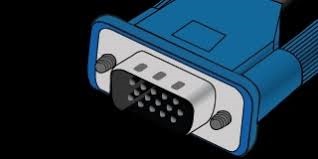
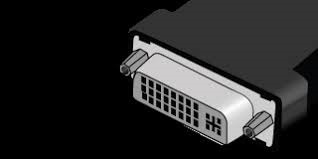
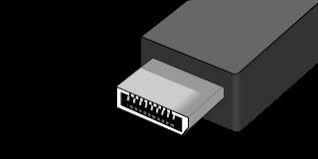
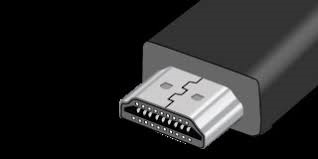
For a smooth connection to your monitor, it is important to find out what outputs your monitor has. Analogue connectors are VGA, digital connectors are DVI, HDMI or the newer USB-C or DisplayPort (DP). The digital interface has better picture quality, higher resolution, simultaneous audio transmission (HDMI, DP, USB-C), and even Ethernet (HDMI).
VGA
DVI
DisplayPort
HDMI
Be Aware of the Dimensions of the Graphics Card
There is no prescribed size for a graphics card, so it may not fit in your case. Wider cards can also take up more PCI Express slots.
If you are considering buying a model that supports multiple cards on a single motherboard (NVIDIA SLI or AMD CrossFireX technology), first check the motherboard parameters to see if you can physically fit the number of cards on the motherboard.
Ray-tracing in Games and DirectX 12 — Enhance your Gaming Experience
Graphics cards with support for ray-tracing, a new way of rendering images by tracking light rays, take your gaming experience to a whole new level. Currently, only GeForce RTX supports it. Raytracing must be supported by the game itself, however, and you can't do without DirectX 12.
What other Parameters Can a Graphics Card Have?
Manufacturing technology (in nm) represents the width of the smallest element of the chip. The smaller the width, the more advanced the technology.
VR ready means virtual reality support.
CrossFire/SLi is the support of multiple graphics cards on one motherboard.
AMD Eyefinity is used to display up to 6 displays simultaneously, depending on the capabilities of the specific card.
NVIDIA 3D vision allows you to play in stereoscopic 3D.
Computer Graphics - Some Interesting Facts you May not Have Known
Bitmap Graphics
Bitmap graphics are used to render the vast majority of computer images. It is used for photos, videos and much more. The disadvantage is that the image loses quality when enlarged and individual pixels are visible. High-quality images take up more disk space than vector graphics.
Vector Graphics
Vector graphics works with geometric shapes such as curves and polygons. The big advantage is that the quality of the image does not deteriorate when the image is enlarged at any size. Vector graphics are most often used for objects that need to be resized frequently, such as logos, posters and billboards.
3D Graphics
3D graphics works with three-dimensional objects. These are then converted into a 2D image displayed on the monitor during rendering. The style of graphics calculation is similar to the vector one, but it is enriched with a third dimension. The most well-known use of 3D graphics is in the creation of animations, for example in films or PC games. It is also used extensively in various industries and science in the creation of simulations and models.
PC configurator - Graphics Cards - additional info
A dedicated graphics card is an indispensable part of any computer where you need more graphics performance than an integrated one can offer. You can use it for gaming, video editing, modelling or any other graphics processing. In this article, we will tell you about different types of graphics cards and what to look for when choosing one.
How to choose? A graphics card should be fully compatible with your motherboard, so make sure that the graphics card's interface matches the slot on your motherboard. Furthermore, the graphics card should feature a sufficient number of outputs. We recommend opting for cards with digital DVI and HDMI outputs. The important parameters are also the chip type and its operating frequency, the type of memory and its capacity, and the support of advanced technologies such as DirectX, OpenGL and Shader Model in their current versions.
Alza.cz a. s., Company identification number 27082440, use cookies and other data to ensure the proper functioning of the website and, with your consent, also, among other things, to personalize advertising and the content of our websites. By clicking on the “I understand“ button, you agree to the use of cookies and the transfer of data regarding the behavior on the website for displaying targeted advertising on social networks and advertising networks on other websites.