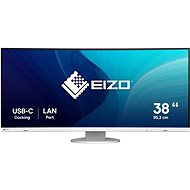
Interested in reviews of 38" EIZO FlexScan EV3895-WT? It got 4.5 out of 5 stars from our customers. Find specific customer reviews of 38" EIZO FlexScan EV3895-WT below. We will appreciate if you also share your experiences with 38" EIZO FlexScan EV3895-WT after purchasing.
I like Eizo, I myself use a 32" EIZO FlexScan EV3240X-BK x 3 and super, best picture and sharpness (with Mac Studio). I wanted something for a colleague where he can put three documents next to the sbe, so EIZO EV3895 37,5". I didn't study the difference, but reality forced me to. Anything below a PPI of 140 is unwatchable. Now I'm buying a Dell U4025QW (40") and I hope it will be better. So EV3895 returned. And it is already technically obsolete and overpriced.
Eizo processing quality
PPI 111 absolutely low for this monitor size, the font is brutally biting, you don't want to look at it
I am writing this after 10 months of completely satisfied use, few things have made me so happy.
And I have many years of experience with EIZO, both in the chancellery and at home (photo, CSomething on the wall is orphaned, I have to sell).
Ideal as an extension monitor for the Mac M1 Pro in the office at home.
First of all, I have to say that I got used to the monitor as soon as I unpacked it on the table. The widescreen ratio is much better than the classic one. At work I have a 32" monitor with a classic aspect ratio and it took me a while to get used to it. I was also worried about the sagging but completely unnecessarily. I'm not a graphic designer, so buying an Eizo monitor may be a waste, but I've had a good experience with a previous Eizo monitor, so this one won out in the end. One of the reasons was the automatic brightness correction according to the ambient light. I also like the different modes like film or paper, even the Dicom mode for medical images: ). Another advantage is quite a few inputs, both HDMI, DP and USB-C. Right after switching it on I was pleased with the very nice colours without having to do any extra tuning. The widescreen aspect ratio is great for widescreen movies, but unfortunately the monitor is not good for dark scenes. Either I haven't figured out how to tune it, but I feel like contrast is not its strong suit. I'm not saying this is the best bang for the buck, but I'm happy.
very nice and natural colours
the widescreen monitor is great for work, but also gaming and widescreen movies in addition to the aforementioned dark scenes
I have always been a supporter of 2 monitors, I did not allow this variant. I replaced them with this one, and I must say that the only thing I' m sorry about that I haven' t done it before. The color rendering is perfect, especially in games, I really enjoy watching details that I never noticed on the previous monitor. There are 2 windows that fit side by side, leaving the width to display everything even at 120% magnification. This was unthinkable with a classic 16: 9 mini, with two windows it was necessary to constantly scroll left / right, with one window you have white areas on the sides on the sides.
Ideal bend
image quality, color rendering, the joy of looking at it
viewing angles
so far without defective points: )
0 ×Report
Automatic translation
Try our cookies
Alza.cz a. s., Company identification number 27082440, use cookies and other data to ensure the proper functioning of the website and, with your consent, also, among other things, to personalize advertising and the content of our websites. By clicking on the “I understand“ button, you agree to the use of cookies and the transfer of data regarding the behavior on the website for displaying targeted advertising on social networks and advertising networks on other websites.