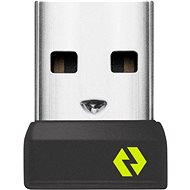
Interested in reviews of Logitech USB Bolt receiver? It got 4.6 out of 5 stars from our customers. Find specific customer reviews of Logitech USB Bolt receiver below. We will appreciate if you also share your experiences with Logitech USB Bolt receiver after purchasing.
Rated 12/02/2026, variant Logitech USB Bolt receiver
Verified purchase - review from a price comparison website
Great, as expected. .
0 ×Report
Automatic translation
Michal, Orlova
Rated 16/10/2025, variant Logitech USB Bolt receiver
Verified purchase
When connected to the docking station, I don't have to switch the mouse between 3 different devices when I connect it
My mouse stopped moving my BT headphones
Requires installation of Logitech Options+, for someone it may be a problem for example on a company laptop
0 ×Report
Automatic translation
Customer, Starý Plzenec
Rated 02/10/2025, variant Logitech USB Bolt receiver
Verified purchase
works: )
0 ×Report
Automatic translation
Otakar, Nová Ves pod Pleší
Rated 25/01/2025, variant Logitech USB Bolt receiver
Verified purchase - review from a price comparison website
It's working.
0 ×Report
Automatic translation
Jiří, Praha
Rated 08/01/2025, variant Logitech USB Bolt receiver
Verified purchase
Pripoji klavesnici
Nepripoji mys zadnym zpusobem ani logi options ani jiny program logitech
V jine recenzi se pise ze ano. Neverte - my master 3 nepripojite
0 ×Report
Peter, Bošovice
Rated 04/12/2024, variant Logitech USB Bolt receiver
Verified purchase
works as it has
Logitech's schizophrenia, that somewhere you need Bolt and somewhere Unifying Receiver. I was hoping to have a mouse and keyboard on one dongle and unlucky, I have to have two because one needs Bolt and the other needs Unifying
0 ×Report
Automatic translation
Petr, Chomutov 4
Rated 09/08/2024, variant Logitech USB Bolt receiver
Verified purchase
Works with the Logitech MX Anywhere 3S mouse
You have to install Logi Options+ on the PC to upload the mouse to the PC - For some it may mean that the mouse will not work for them and they will be desperate.
It' s not part of the mouse when you buy it, and Logitech is starting to undermine its slow death.
Complex installation with a Logitech Mouse
0 ×Report
Automatic translation
Try our cookies
Alza.cz a. s., Company identification number 27082440, uses cookies to ensure the functionality of the website and with your consent also to personalisage the content of our website. By clicking on the “I understand“ button, you agree to the use of cookies and the transfer of data regarding the behavior on the website for displaying targeted advertising on social networks and advertising networks on other websites.