Refresh the page

Most expensive wiFi Routers & Access Points

This page includes the most expensive wiFi Routers & Access Points, or more specifically all products from the category wiFi Routers & Access Points sorted from the most expensive to the cheapest. This way, the most luxurious pieces can stand out. At the moment, the most expensive product is TP-Link Archer BE3600 Dual-Band Wi-Fi 7, which costs 2,499 Kč incl. VAT. Check it out, you may like it. Or you’ll get inspired.
All from 598
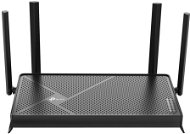
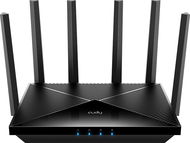
CUDY BE6500 2.5G Wi-Fi 7 Router - WiFi Router
CUDY BE6500 2.5G Wi-Fi 7 Router
-10 % off new 2,699,- New 2,999,-
Unsealed - in stock 2 pcs
Order by midnight, get it at the AlzaBox in the morning.
Info
Buy with code ALZADNY20 2,159,- The discount code gives the option of applying a discount on a given product when entering the code in the shopping cart. Získejte slevu 20 % s kódem ALZADNY20. Klikněte a kód se uplatní automaticky.
WiFi Router - internal, WiFi 7, standard 802.11s/b/g/n/ac, maximum Wi-Fi speed 6453 Mb/s, dual-band (2.4 GHz 688 Mb/s + 5 GHz 5765 Mb/s ), 1× WAN, 4× LAN, IPv6 Ready and VPN, WPA,...
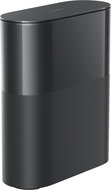
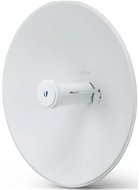
Ubiquiti UniFi Device Bridge - Bridge
Ubiquiti UniFi Device Bridge
2,690,-
In stock > 5 pcs
Order by midnight, get it at the AlzaBox in the morning.
Info
Bridge - bridge, WAN 1 Gbps, 5 GHz 866.7 Mbps, PoE output
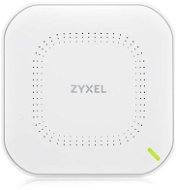
Zyxel NWA50AXPRO-EU0102F - WiFi Access Point
Zyxel NWA50AXPRO-EU0102F
2,549,-
In stock > 5 pcs
Order by midnight, get it at the AlzaBox in the morning.
Info
WiFi Access Point and WiFi 6, 802.11/b/n/ac/ax up to 2968 Mb/s, Dual-band (2,4 GHz 575,12 Mb/s + 5 GHz 2400 Mb/s ), WPA, WPA2 and WPA3, IPv6 Ready

No longer sold

Try our cookies

Alza.cz a. s., Company identification number 27082440, uses cookies to ensure the functionality of the website and with your consent also to personalisage the content of our website. By clicking on the “I understand“ button, you agree to the use of cookies and the transfer of data regarding the behavior on the website for displaying targeted advertising on social networks and advertising networks on other websites.

More information
I understand Detailed settings Reject everything
P-DC1-WEB02