Refresh the page

Most expensive wiFi Routers & Access Points TP-Link

This page includes the most expensive wiFi Routers & Access Points TP-Link, or more specifically all products from the category wiFi Routers & Access Points TP-Link sorted from the most expensive to the cheapest. This way, the most luxurious pieces can stand out. At the moment, the most expensive product is TP-Link Archer BE3600 Dual-Band Wi-Fi 7, which costs 2,499 Kč incl. VAT. Check it out, you may like it. Or you’ll get inspired.
All from 146
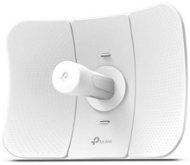
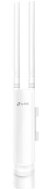
TP-LINK Outdoor CPE - Outdoor WiFi Access Point
TP-LINK Outdoor CPE
1,449,-
In stock > 5 pcs
Order by midnight, get it at the AlzaBox in the morning.
Info
Outdoor WiFi Access Point - with device management software, 802.11 b/g/n compatibility, 2.4 GHz, integrated 12dBi 2x2 MIMO antenna, PoE adapter
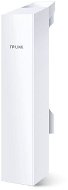
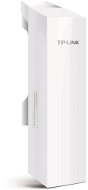
TP-LINK CPE210 - Outdoor WiFi Access Point
TP-LINK CPE210
1,199,-
In stock > 5 pcs
Order by midnight, get it at the AlzaBox in the morning.
Info
Outdoor WiFi Access Point - with client function, 802.11 b/g/n at 2.4GHz, integrated 9dBi 2 x 2 MIMO antenna, PoE, 1 x LAN
TP-LINK CPE210 - Outdoor WiFi Access Point
TP-LINK CPE210
-6 % off new 1,119,- New 1,199,-
Unsealed - in stock 4 pcs
Order by midnight, get it at the AlzaBox in the morning.
Info
Outdoor WiFi Access Point - with client function, 802.11 b/g/n at 2.4GHz, integrated 9dBi 2 x 2 MIMO antenna, PoE, 1 x LAN
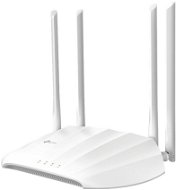
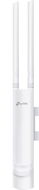
TP-LINK EAP115 - WiFi Access Point
TP-LINK EAP115
1,029,-
In stock > 5 pcs
Order by midnight, get it at the AlzaBox in the morning.
Info
WiFi Access Point and WiFi 4, 802.11/b/g/n, up to 300 Mb/s, Single-band, WEP 64bit, WEP 128bit, WPA-PSK, WPA2-PSK, WPA-Enterprise and WPA2-Enterprise

Try our cookies

Alza.cz a. s., Company identification number 27082440, uses cookies to ensure the functionality of the website and with your consent also to personalisage the content of our website. By clicking on the “I understand“ button, you agree to the use of cookies and the transfer of data regarding the behavior on the website for displaying targeted advertising on social networks and advertising networks on other websites.

More information
I understand Detailed settings Reject everything
P-DC1-WEB24