
ACDSee Photo Studio Ultimate 2025 (electronic license)

Don't like the alternatives?
Choose from the full offer
ACDSee Photo Studio Ultimate 2025 (electronic license)
ACDSee Photo Studio Ultimate 2025 is a multifunctional tool, ideal for photo file management and parametric photo editing. It is designed for graphic designers, creative artists and professional and amateur photographers. It will be appreciated by graphic studios, advertising agencies and photo studios, as well as companies, schools and households. This graphics software is fully equipped with the latest artificial intelligence (AI) features to save you time when processing and organizing photo collections and advanced photo editing. Version 2025 brings a host of new utilities that will surprise you with their simplicity, speed and efficiency when working with photos. ACDSee Photo Studio 2025 is enhanced to harness the full power of your graphics processing unit (GPU) for ultra-fast, AI-driven editing.
Key Features of ACDSee Photo Studio Ultimate 2025 Graphics Software
- The ideal multifunctional tool for photo file management and parametric photo editing
- Compatible with Windows OS
- Permanent electronic licence for 1 device
- Suitable for graphic designers, creative artists and professional and amateur photographers
- The software is fully equipped with the latest artificial intelligence (AI) features
- Saves time when processing and organizing photo collections and advanced photo editing
- Version 2025 has a number of new utilities that will surprise you with their simplicity, speed and efficiency when working with photos
- The software can fully harness the power of your graphics processing unit (GPU) for ultra-fast, AI-driven editing
ACDSee Photo Studio Ultimate News
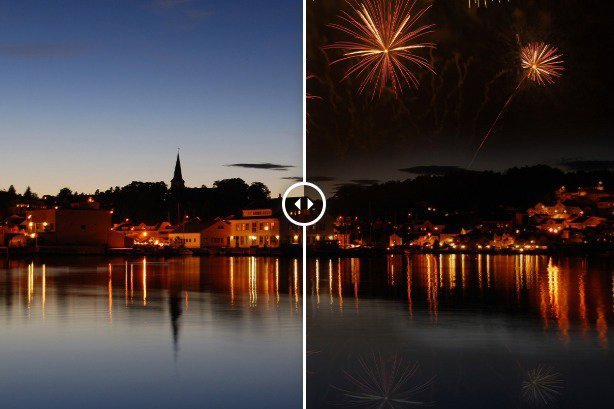
Advanced Digital Asset Management (DAM) gives you everything you need to fully master your photo management workflow - organizing, sorting, searching and sharing. When editing photos, you can enlarge images while maintaining quality with the new AI Super-Resolution. You'll also enjoy the speed and batch processing of AI editing - non-destructive masking of objects, colours and brightness, a redesigned masking group in Develop mode and improved AI Sky Replacement.


Great image editing options
Use the AI Face Edit portrait navigator to retouch portraits and edit faces. It allows you to go over facial features, highlight, contour, remove blemishes or brighten eyes and smiles. Images can be edited in layers. Using artificial intelligence filters, selection tools, text, shapes, layer masks, blend modes and more to subtly enhance or substantially modify your photos or create artistic compositions or any project, you can imagine.
AI enhancements
With AI Actions, you can select the subject, sky or background with a single click. RAW photo editing mode offers intuitive and non-destructive editing of RAW photos. Masking and quickly selecting parts of an image for editing is easy with the Masking Group in Develop mode. Use built-in AI to apply different types of masking to your images, from simple to complex, all at the touch of a button. Use tools such as colour and Tone Wheels, Light EQ and Noise Reduction to correct colours, adjust lighting, restore image quality and make many other adjustments, all without permanently altering the original image.
Specifications
Basic parameters
License type
License
Compatibility
Software type
| Code: | SWacdpsu25 |
| Links: | Producer's Website: |