Discounts, codes, and cashbacks are limited-time promotions in which you can save a lot of money. If an item is on sale, you will see the new price right next to the old one. If a discount code applies to a product, you will find it in the category listing above the product price or in the product details below the image gallery. You must then enter the discount code in the "Use discount coupon" field before submitting your order. Items with a cashback option are also marked in the same way. If certain conditions are met after purchasing these products (e.g. registration of the goods on the manufacturer's website), you will receive part of the total price back. You can find out all the terms of the specific cashback policy in the product details.


 Price with Cashback
10,599,-
Cashback presents the option to get back money from your purchase online, usually requires a registration
Získejte zpět část peněz při nákupu vybraných produktů TP-Link. Akce platí do 30.6.2026 nebo do vyprodání zásob.
Price with Cashback
10,599,-
Cashback presents the option to get back money from your purchase online, usually requires a registration
Získejte zpět část peněz při nákupu vybraných produktů TP-Link. Akce platí do 30.6.2026 nebo do vyprodání zásob.

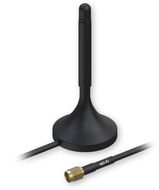


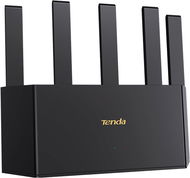
Active element in a wireless WiFi network represents a device that acts as an access point (AP) or router. These devices offer facilities that connect a computer, multiple computers or other network devices (clients), and are responsible for subsequent communication and connection to wireless networks. They can also be used to create a wireless network. Active devices are most commonly used to create wireless home or office networks, where the computer (client) connects wirelessly, while the active element is connected to a cable Internet connection (eg. ADSL, cable internet) for sharing Internet access. Active elements can simply be used to wirelessly connect two computers without a line of sight. Line of sight is in fact ideal for establishing a wireless connection between two points.