
Free delivery
Alzaboxes and stores
External Graphics Cards for Laptops
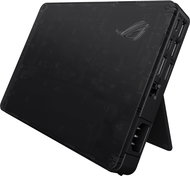
An external graphics card or an external GPU box is one of the ways to move your laptop's performance up a few levels. This allows you to play the latest games or work with more demanding graphics applications. What is actually happening, and what are the advantages and disadvantages? We will explain.
Continue
All from 1
In the category External Graphics Cards for Laptops on Alza.cz, we currently have a total of 1 products, which you can easily buy online and get quickly delivered. See all of your purchases and make orders on our easy-to-use app.
Continue
No longer sold
Chcete doručiť tovar na Slovensko? Prezrite si
Externé grafické karty pre notebooky
Für den Versand nach Deutschland, besuchen Sie bitte
Externe Grafikkarten Laptop
Für den Versand nach Österreich, besuchen Sie bitte
Externe Grafikkarten Laptop
Magyarországra rendelnél? Látogasd meg ezt a termékkategóriát
Külső videókártyák (eGPU)