
How to Choose the Right Memory Card
Memory cards are a practical and affordable way to enable storing more photos, music or videos on various devices. They are manufactured not only with different capacities but also in different sizes and types. In addition to commonly used SD cards, you can also come across CF cards. Whether you want to expand the storage memory of your mobile phone or camera, we are here to help you choose the right memory card.
- Find out which type of memory card your device supports
- Think about the capacity you need
- Decide whether or not the writing speed is a key factor for you
Memory Cards Guide
- Important Memory Card Parameters
- SD Memory Cards
- SDHC Memory Cards
- SDXC Memory Cards
- Micro SDHC Memory Cards
- Micro SDXC Memory Cards
- Compact Flash Memory Cards (CF)
- Compact Fast 2.0 Memory Cards
- XQD Memory Cards
- Memory Cards for MacBooks
Important Memory Card Parameters
Type
Memory cards can be divided into three basic categories based on their type:
Capacity
Select the capacity of your memory card according to what and how much you will store on the card. The capacities of modern memory cards range from 512MB to 1TB. In theory, it is possible to manufacture a card with a capacity of up to 2TB, but the price would be very high.
The following are the most common:
Speed
In terms of speed, memory cards can be divided into three groups:
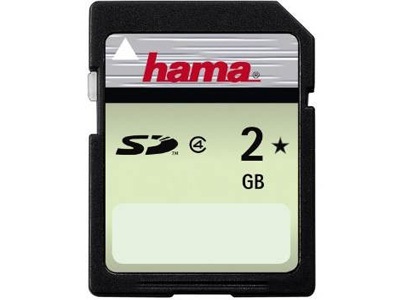
The original Secure Digital cards are not used very often anymore. They offer only very little capacity and speed, but some older devices still use this type. If you have an older camera, you want to expand its capacity, and at the same time save money, a common SD card may be a convenient and inexpensive option. You will more likely encounter an adapter that converts Micro Size cards to the dimensions of an SD card than the card itself.
Frequently Asked Questions When Choosing an SD Card
Is an SD card good enough for my smartphone?
Probably not. Nowadays, smartphones use Micro SDs, so SD cards are usually no longer compatible. Moreover, their capacity and speed lag behind the demands of modern devices.
How can I use an SD card?
SD cards were used in the past, and nowadays, there are not many devices that are compatible. They can still be used in older phones, cameras and camcorders.
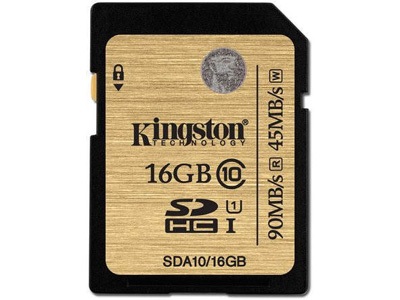
SDHC (Secure Digital High Capacity) memory cards have been manufactured as the successor to the original SD cards are still used today. However, they are only suitable for digital cameras. They are not compatible with most modern mobile phones. Compared to its predecessor, it offers a larger capacity and higher speeds.
Frequently Asked Questions When Choosing an SDHC Card
Can I plug an SDHC card in my smartphone?
Even though SDHC cards have sufficient capacity and speed, the dimensions are the same as those of their predecessor. They are not compatible with the mobile phones manufactured today.
How can I use an SDHC card?
SDHC cards are a common option if you own a digital camera. Digital cameras often support this size, and the SDHC type offers a sufficient capacity and speed. This type of card is an ideal solution for casual photographers.
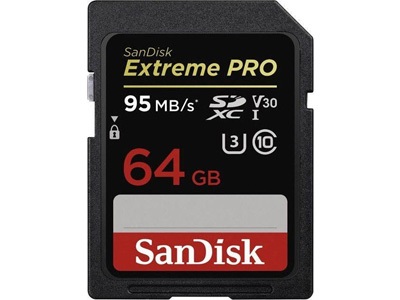
SDXC (Secure Digital eXtended Capacity) cards offer capacities that could often compete with those of smaller hard drives. If you are a digital camera owner and you love taking photos, SDXC cards may be the right choice for you. This type of card can store a lot of photos. However, you can encounter a problem when recording and uploading videos in more demanding formats, such as RAW. The speed would be insufficient in this case.
Frequently Asked Questions When Choosing an SDXC Card
I love taking pictures. Are these cards the right ones for me?
SDXC cards are the best you can get if you are an enthusiast or amateur photographer. Their speed is not bad, and due to its large storage capacity, it can store a lot of photos and videos. If your camera or camcorder does not support CF cards, an SDXC card is the best choice.
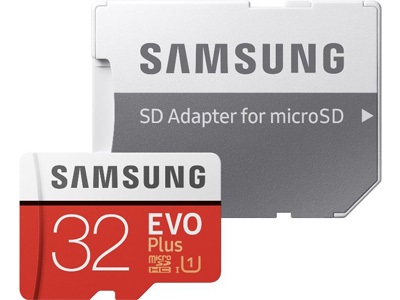
Micro SDHC memory cards are the most commonly used memory cards today. Due to their size, they are compatible with almost every smartphone, and their capacity is sufficient for regular users.
Frequently Asked Questions When Choosing a Micro SDHC Card
Which phones are compatible with Micro SDHC cards?
The compatibility of each phone is different, but Micro SDHC cards are compatible with most modern smartphones.
How much data can a Micro SDHC card store?
The largest possible Micro SDHC card has a capacity of 32GB, which is enough space for approximately 30 films and several thousands of photos, even at high quality. Due to its capacity and affordable price, Micro SDHC cards are the most common cards used in mobile phones.
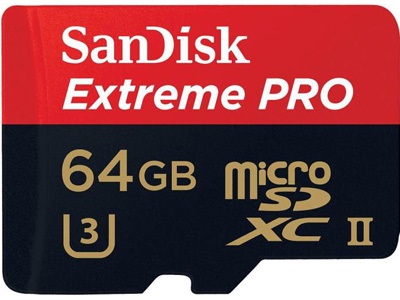
Micro SDXC cards are the ideal choice for photo enthusiasts who use camera phones. Cards of this type offer plenty of storage space and some provide high speeds. They easily handle more demanding formats.
Frequently Asked Questions When Choosing a Micro SDXC Card
I love taking pictures with my phone. Are these cards the right ones for me?
Like the larger version of these cards, Micro SDXC cards offer a large capacity at sufficient speeds. They are smaller in size, so they can fit into modern smartphones.
How much data can a Micro SDXC card store?
A Micro SDXC card can store up to hundreds of films and a lot of photos. In terms of storage, it offers the largest possible capacity for mobile phones. They are, however, sold at a higher price.
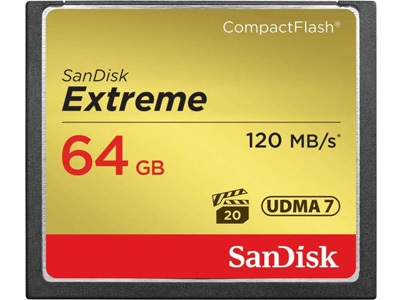
Compact Flash memory cards are the oldest type of CF cards. Compared to SD cards, they offer higher writing and reading speeds. They are ideal for professional photographers who work with more demanding and complex image formats. They are often used in advanced SLR cameras and camcorders.
Frequently Asked Questions When Choosing a CF Card
Where can I find a CF card?
Compact Flash cards are more suitable for professional photographers, or casual photographers with a big budget. CF cards are only compatible with some types of SLR cameras and camcorders.
Can I use a CF card in my smartphone?
Compact Flash cards are not designed for smartphones. They are usually larger than SD cards and are compatible with a different port type.
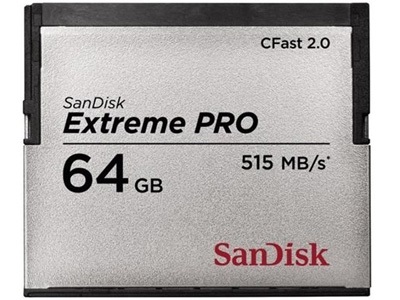
CompactFast 2.0 memory cards are the successor to CF cards and are the best choice for shooting in RAW format. They reach speeds of up to 500MB/sec, so the photos are processed in a snap. However, their capacity is not suitable for longer continuous shooting in this format.
Frequently Asked Questions When Selecting CFast 2.0
How can I best use a CFast 2.0 card?
CFast 2.0 cards are most commonly used by photographers who take photos in RAW format. Its speed of up to 500MB/sec will process this demanding format within seconds. A disadvantage is that these very large files can fill the capacity very quickly.
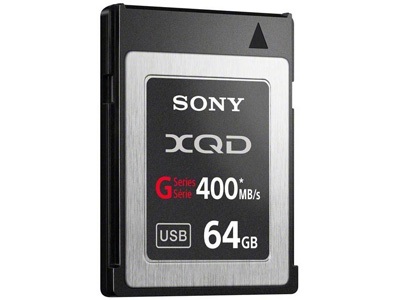
The latest CF cards - XQD - offer the same as their predecessor plus other new benefits in an even smaller body. While XQD cards are slower (440MB/sec vs. 500MB/sec), they support the PCIe interface, which makes transferring files to your computer very fast.
Frequently Asked Questions When Choosing an XQD Card
What are the benefits of the PCI-e support?
The PCI-Express interface may be known to experienced PC users. It ensures faster data transfer, and that is exactly what XQD cards do. Their speed offers a rate of a few GBs per second.
What does it mean that XQD cards have bad compatibility?
Simply put, the classic CF cards are compatible with only a fraction of cameras and camcorders. The smaller XQD cards are compatible with even a smaller number of devices.
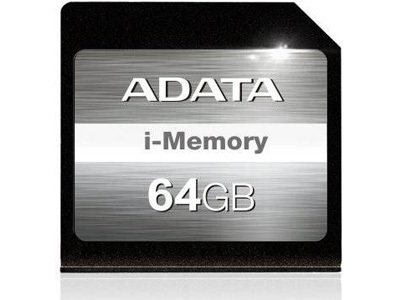
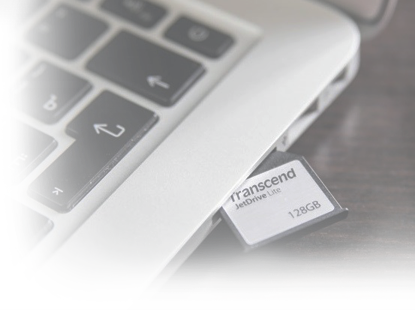
The memory cards designed for MacBooks offer a solid capacity and good writing speeds. Once inserted into a MacBook, they do not jut out, so you can keep them in the port for a long time. This will increase the storage capacity permanently.
Frequently Asked Questions When Selecting Cards for MacBooks
What types of cards can I use with my MacBook?
Each card has its specifications for the type of MacBook it is designed. The main disadvantage is that cards are often incompatible with each other.
Glossary - Memory Cards
SD and CF Cards
An SD card is a storage medium that is used in digital cameras, mobile phones and other devices. Its name is an abbreviation for Secure Digital. Compact Flash cards offer high reading/writing speeds and greater durability, making them ideal to use with professional digital cameras and camcorders.
JetDrive
JetDrive is a set of memory cards and SSDs manufactured by Transcend. They are designed exclusively for Apple computers, laptops and phones and, unlike conventional memory cards, are designed to permanently expand the storage space.
RAW format
RAW is a lossless format of the highest image quality. These images can be customised and tuned with special software by adjusting sharpness, colour saturation, or contrast without reducing the resulting quality. This is the quality that is supported by both semi-professional and professional cameras.