
Microsoft Outlook LTSC 2024, EDU - schools only (electronic license)

Microsoft Outlook LTSC 2024, EDU - schools only (electronic license)
Office software Microsoft Outlook LTSC 2024, EDU - schools only (electronic licence)
The handy Microsoft Outlook LTSC 2024 tool helps you manage all your email communication, calendar organization and document work at home, in the office or on the road. It allows you to easily link multiple email accounts so you can keep all your messages together without having to switch between different platforms. With intelligent features such as text drafting and inbox organization, Outlook helps you write clear and efficient emails. In addition, it offers the ability to integrate and manage multiple calendars simultaneously for scheduling appointments and tasks. Outlook also includes free Microsoft 365 apps that allow you to work with documents, spreadsheets or presentations directly from the email interface. Whether you need to sign a form, quickly reply to a message, or synchronize your tasks across devices, Microsoft Outlook LTSC 2024 provides you with an efficient and clear solution.
This license is intended for use at school. To activate the licenses, you need to supply an IZO (school identifier). If you are not the director of the institution, you need to provide a letter of authorization for the purchase. If you are unsure of your choice, please contact our sales team: [email protected]
Key benefits of Microsoft Outlook LTSC 2024, EDU - Schools only (electronic licence)
- Microsoft Outlook LTSC 2024 is a reliable powerful tool with long-term support and no subscription required
- Provides a permanent license
- Easily link your accounts
- Helps you write better emails
- Easier access to files
- Offers the ability to integrate and manage multiple calendars simultaneously
Microsoft Outlook LTSC 2024 keeps everything in one place
Microsoft Outlook LTSC 2024 gives you the perfect overview of everything you need to organize your day at home, in the office or on the road. See your emails, calendars, contacts and to-do lists all in one place, so you're always clear on what's coming up and what needs to get done. With an intuitive interface, you can easily schedule meetings, manage your work and personal responsibilities, and keep your inbox organized. Outlook allows you to communicate and coordinate your time effectively, whether you work alone or in a team. Nothing syncs across devices, so you always have your important information at your fingertips, no matter where you are.

Link your accounts
Manage personal, work or school email address in one place in Microsoft Outlook LTSC 2024. You can connect services like Outlook.com seamlessly, Gmail, Yahoo!, iCloud and many others, so you'll always be on top of important messages without having to switch between different apps. With synchronisation between your computer and mobile device, you can check your emails anytime, anywhere. Plus, Outlook helps you organize your inbox with intelligent message sorting and efficient email management tools.

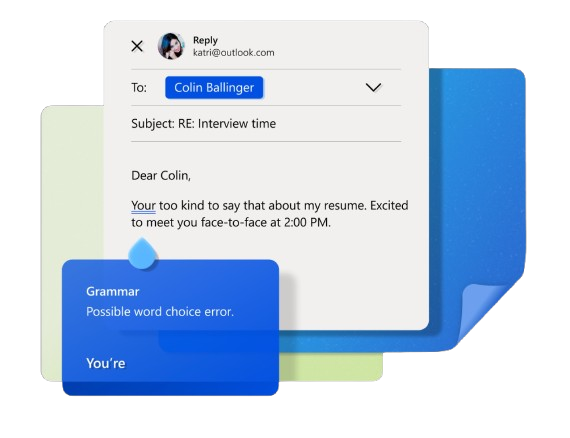
Learn how to write emails more efficiently
With typing suggestion features and intelligent spelling and grammar checking, Microsoft Outlook LTSC 2024 lets you write emails faster and more efficiently. Automatic drafts help you express ideas clearly and concisely. With integrated spelling and grammar checking, you can rely on your messages to be error-free and professional in personal emails and work correspondence. These tools will also help you avoid common mistakes when revising your text and ensure that your communication is always precise and well-worded.
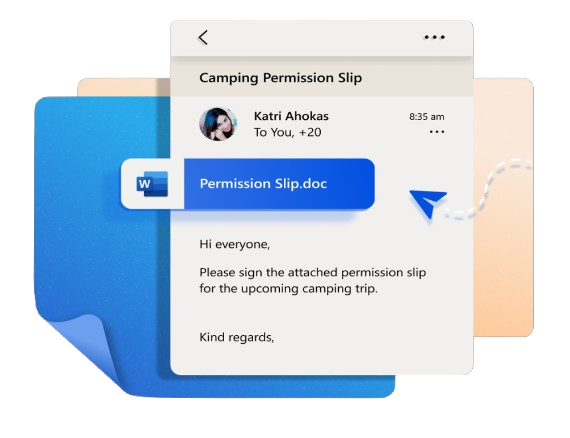
Share documents via OneDrive
With Word, Excel and PowerPoint integrated directly into Outlook, you can send, edit or read documents quickly and easily. No matter where you are, you have instant access to your OneDrive files, allowing you to conveniently share documents or make necessary edits without switching between different apps. In addition, Outlook provides you with secure connections to these files,ensuring that your data is protected throughout its use. Seamless synchronisation between applications saves you time and simplifies document management.
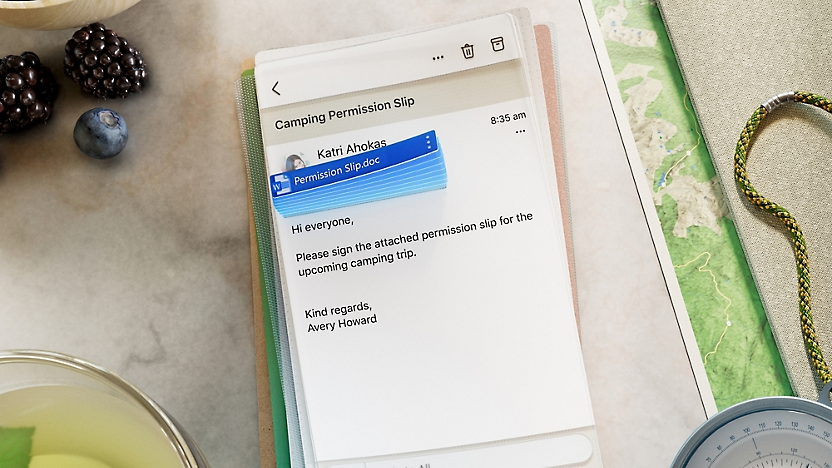
Across platforms
Outlook is now available on multiple platforms and devices, allowing you to access your emails, calendars and contacts from anywhere. On Windows computers, Outlook is part of the system and available for personal use. On Macs, Outlook has been redesigned for macOS and enhanced for Apple Silicon to deliver a better performance and user experience. For mobile devices Outlook offers apps for both iOS and Android, which means, that you can stay connected and productive on your iPhone, iPad, Apple Watch, phones, Android tablets and smart devices.
Office software Microsoft Outlook LTSC 2024, EDU - schools only (electronic licence)
It is a classic desktop office application for one computer.
- Email client: The main Outlook feature that allows you to manage and organize your emails. Allows you to connect multiple email accounts (e.g. Outlook.com, Gmail, Exchange) and manage them efficiently.
- Calendar: Tools for scheduling and managing meetings, events and tasks. The calendar supports sharing with colleagues and syncing with different devices.
- Manage contacts with the ability to add, edit and categorize them for easy access and management
- Ability to track tasks, set deadlines and priorities, and sync them across devices
- Outlook LTSC 2024 provides robust privacy and security tools, including email encryption and advanced data management features
- Offline support
- Compatibility with Microsoft Exchange and Office 365
Specifications
Basic parameters
License type
Software type
Included applications
License
Compatibility
Language version
| Code: | SWMM0815 |
| Links: | Producer's Website: |
| Manufacturer information |
Microsoft is a multinational corporation based in the United States. Microsoft products have had an indelible influence on our perception of virtual worlds since 1975, when Bill Gates and Paul Allen founded the company. The company is best known for its peerless software, including Windows OS and the universally used Microsoft Office suite. The company is gradually becoming more active in hardware as well - for example, with Xbox gaming consoles and Lumia mobile phones. 
|